
How to Fix Xiaomi Mi Watch Won’t Connect To Phone Issue
If you’re facing the frustrating issue of your Xiaomi Mi Watch not connecting to your phone, you’re not alone. The inability to pair your Mi Watch with your smartphone can be a major hindrance in enjoying all the features it has to offer. But fear not! We have some tried and tested troubleshooting tips that can help you resolve this connectivity problem and get your Mi Watch synced with your phone seamlessly.
Whether your Mi Watch is not pairing with your phone or experiencing Bluetooth connectivity issues, we’ve got you covered. In this article, we will guide you step by step on how to fix the Xiaomi Mi Watch connection problem and overcome any syncing or pairing hurdles you may encounter.
Restart Your Xiaomi Mi Watch
If you’re experiencing connection issues with your Xiaomi Mi Watch, one of the first troubleshooting steps you can try is restarting your device. A simple reboot can often resolve minor connectivity problems and get your Mi Watch back in sync with your phone.
To restart your Xiaomi Mi Watch, follow these steps:
- Press and hold the home button on your Mi Watch for a few seconds.
- The device will power off.
- Wait for a few seconds, then turn it back on.
- Once the watch has powered on, try connecting it to your phone again.
This quick and easy restart can help fix Mi Watch connection issues and ensure a seamless syncing experience. Give it a try and see if it resolves the problem.
Remember, restarting your Xiaomi Mi Watch is just one of the troubleshooting steps you can take to fix connection problems. If the issue persists, there are other methods you can try to get your Mi Watch connected to your phone again.
Reset Your Xiaomi Mi Watch
If restarting your Xiaomi Mi Watch doesn’t work, you can try resetting it to factory settings. This will erase all the data on your Mi Watch, so make sure to back up any important information beforehand. To reset your Mi Watch, go to the settings menu on your watch and look for the option to reset or restore to factory settings. Follow the on-screen instructions to complete the process, and then try connecting your Mi Watch to your phone again.
If you’re still experiencing issues with your Mi Watch not syncing or having trouble pairing it with your phone, a factory reset may help resolve the problem. However, keep in mind that by performing a factory reset, all your personalized settings and data will be deleted. It’s essential to back up any important information before proceeding with the reset.
To reset your Xiaomi Mi Watch to its factory settings, follow these steps:
- Open the settings menu on your Mi Watch.
- Scroll down and look for the option labeled “Reset” or “Restore to Factory Settings.” Tap on it to proceed.
- Confirm your selection when prompted and wait for the reset process to complete.
- Once the reset is finished, your Mi Watch will reboot and return to its original factory state.
After the reset, you can try connecting your Mi Watch to your phone again and check if the pairing problem and syncing issues have been resolved. Remember that you may need to go through the initial setup process again, including connecting your Mi Watch to your phone via Bluetooth and installing any necessary updates.
If the factory reset doesn’t resolve the problem or you encounter any difficulties during the process, it’s advisable to contact Xiaomi customer service for further assistance. They have the expertise to guide you through troubleshooting steps or provide additional solutions tailored to your specific Mi Watch model and software version.
Reset Your Smartphone or iPhone
If you’re still experiencing connectivity issues with your Xiaomi Mi Watch, the problem may lie with your smartphone or iPhone. In such cases, resetting your device can often help resolve the problem. However, it’s important to note that resetting your phone will delete all the data on it, so be sure to create a backup before proceeding. Follow these steps to reset your smartphone or iPhone:
- Go to the settings menu on your device.
- Look for the option to reset or restore to factory settings.
- Follow the on-screen instructions to initiate the reset process.
After your phone has been reset, try connecting your Xiaomi Mi Watch again and see if the connectivity issues are resolved. Remember to restore your backup data if necessary.
In some cases, resetting your smartphone or iPhone can help fix connectivity problems and establish a successful connection with your Mi Watch. However, if the issue persists, there may be other factors at play. Let’s explore some additional troubleshooting steps in the following sections.
Check the Distance Between Devices
The distance between your Mi Watch and your phone can greatly impact the Bluetooth connection. It’s crucial to ensure that your Mi Watch and phone are within a reasonable range of each other, ideally within 10 meters. If they are too far apart, the Bluetooth connection may not be successful.
To troubleshoot Mi Watch connection problems related to distance, try bringing your devices closer together and see if that resolves the issue. By minimizing the distance between your Mi Watch and phone, you can improve the chances of a stable and reliable Bluetooth connection.
If you’re experiencing trouble connecting your Mi Watch to your phone, adjusting the distance between the devices is a quick and easy step you can take to troubleshoot and potentially resolve the connection problem.
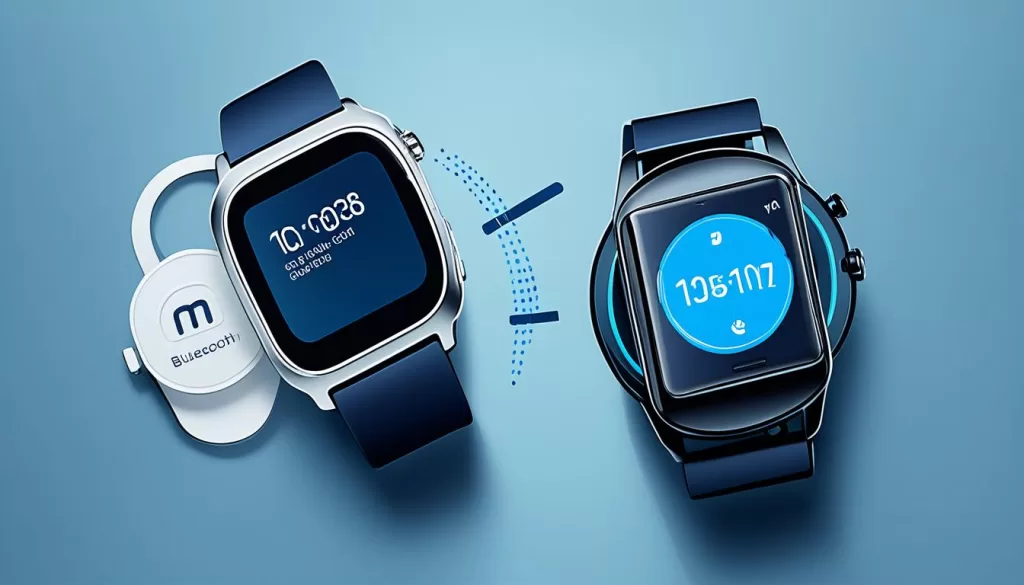
Troubleshoot Mi Watch Connection Problems
When troubleshooting Mi Watch connection problems, it’s essential to consider the distance between your Mi Watch and phone. By keeping them within a reasonable range, you can maximize the chances of a successful Bluetooth connection. Experiment with moving your devices closer together to improve the connection quality and enhance the overall user experience.
Update Your Mi Watch Software
Keeping your Mi Watch software up to date is crucial for maintaining a stable connection and resolving any syncing or connection issues you may be experiencing. Updating the firmware on your Mi Watch can fix bugs and improve the overall performance of the device. Here’s how you can update the software on your Mi Watch:
1. Navigate to the settings menu on your Mi Watch. You can usually find this by swiping down on the home screen and tapping on the gear icon.
2. Look for the option that says “Software Update” or “Firmware Update.” This may vary slightly depending on the version of Mi Watch you have.
3. Once you’ve located the software update option, tap on it to check for any available updates.
4. If there are updates available, download and install them. Make sure your Mi Watch is connected to a stable Wi-Fi network and has sufficient battery life before initiating the update.
5. Follow the on-screen instructions to complete the update process. Your Mi Watch may restart during the update, so don’t be alarmed if that happens.
After the update is complete, check if the syncing problem or connection issues have been resolved. Updating your Mi Watch software regularly is recommended to ensure optimal performance and compatibility with your smartphone.
If you continue to experience problems with your Mi Watch syncing or connecting to your phone after updating the software, it is advisable to reach out to Xiaomi customer service for further assistance. They have trained professionals who can help troubleshoot and resolve any persisting issues. Don’t hesitate to seek help when needed to ensure you can fully enjoy all the features and functionalities of your Mi Watch.
Contact Xiaomi Customer Service
If you’ve exhausted all the troubleshooting tips mentioned above and your Xiaomi Mi Watch still refuses to connect to your phone, it may be time to seek professional assistance. Fortunately, Xiaomi customer service is there to help you resolve these connectivity issues and get your Mi Watch back on track.
With their team of trained professionals, Xiaomi customer service is well-equipped to tackle any problem you may be facing. Whether it’s a technical glitch or a compatibility issue, they have the knowledge and expertise to guide you through the troubleshooting process.
Contacting Xiaomi customer service is easy. You can visit their website and access the support section to find assistance specific to Mi Watch. Alternatively, you can make use of their customer support hotline, where friendly representatives are ready to assist you. Don’t hesitate to reach out for help if you’re still experiencing problems with your Xiaomi Mi Watch. The dedicated team at Xiaomi customer service is eager to provide the support you need to resolve any connection problem you may be facing.