
How to Fix Xiaomi Mi Band 5 Not Charging Issue
Are you frustrated with your Xiaomi Mi Band 5 not charging? Don’t panic just yet! There are simple troubleshooting steps you can take to resolve this issue and get your band up and running again. Whether it’s a misaligned charging cable, a fully discharged battery, or a faulty charger, we’ve got you covered with effective solutions.
- Make sure your Mi Band 5 is properly aligned in the charging cable to establish a proper connection.
- If your band is fully discharged, allow it some time to charge before expecting it to turn on.
- Clean the contact points on the band and the charging cable to ensure a smooth charging process.
- Try using different chargers or cables to rule out any issues with the current ones you’re using.
- If all else fails, consider contacting Xiaomi for support or exploring other fitness band options.
Common Xiaomi Mi Band Charging Problems
If you’re experiencing issues with your Xiaomi Mi Band 5 not turning on, you’re not alone. This is a common problem that many users encounter. When you connect your Mi Band 5 to the charger and it still refuses to power on, it can be frustrating. There are a few potential reasons behind this issue, including a battery problem or an underlying technical glitch.
To troubleshoot this problem, it is recommended to place your Mi Band 5 on the charger for an extended period of time. Sometimes, the band may require a longer charging session to regain enough power to turn on. While it’s on the charger, make sure to inspect the band for any signs of battery expansion, as this could indicate a faulty battery that needs to be addressed.
If your Mi Band 5 still doesn’t turn on after leaving it on the charger for a while, it may be necessary to seek support from Xiaomi. Reach out to their customer service team for assistance in diagnosing and resolving the issue.
Solutions for Mi Band 5 Not Turning On
If you’re facing the problem where your Mi Band 5 won’t turn on, try the following steps:
- Ensure the band is properly aligned and secure on the charger.
- Allow the band to charge for an extended period of time (at least a few hours).
- Check for any signs of battery expansion or damage.
- Contact Xiaomi customer support for further assistance.
By following these steps, you can increase the chances of resolving the issue and getting your Mi Band 5 to turn on successfully.
Proper Charging Position
One of the main reasons for Mi Bands not charging is an incorrect position in the charging cable. It’s important to ensure that the back area of the band properly aligns with the charging cable. Pushing it firmly into the cable can help establish a proper connection. This can resolve the issue of the band not charging or turning on.
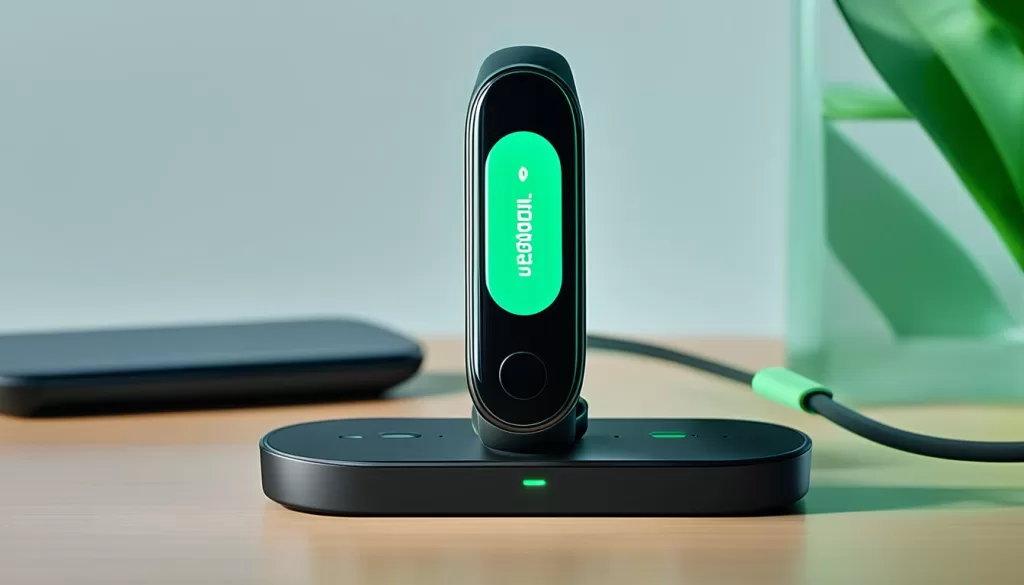
Ensuring that your Xiaomi Mi Band 5 is in the correct position when connected to the charging cable is vital for proper charging. The back area of the band, where the charging pins are located, should align with the corresponding pins on the charger. By firmly pushing the band into the cable, you can help establish a secure connection and overcome any charging issues.
If your Mi Band 5 is not charging or turning on, double-check the alignment between the band and the charging cable. Placing the band in the correct position can often resolve this frustrating issue. Additionally, make sure to clean the charging pins on both the band and the cable, as dust or debris can interfere with the charging process.
Proper Alignment for Successful Charging
When connecting your Mi Band 5 to the charging cable, ensure that the back of the band aligns with the pins on the charger. Gently push the band into the cable until you feel it securely fit. This ensures that the charging pins make proper contact and enables successful charging.
Remember, even a slight misalignment can prevent the band from charging correctly. Therefore, take a moment to carefully position the band when connecting it to the charger. By establishing a proper charging position, you can eliminate charging issues and enjoy uninterrupted use of your Xiaomi Mi Band 5.
Allowing Time to Charge
If you’re experiencing charging issues with your Xiaomi Mi Band 5, it’s essential to allow the band some time to charge, especially if it’s completely discharged. Patience is key in resolving this problem. After plugging in your Mi Band 5, leave it untouched for about 10-30 minutes. This will give the battery enough time to replenish and the band a chance to switch on.
If, after 30 minutes, the band still doesn’t power on, don’t worry. Simply remove it from charging, wait for a short period, and then plug it back in to try again. Sometimes, the band needs a reset or a reconnection to kick-start the charging process.
Allowing sufficient time for the Mi Band 5 to charge can often resolve the issue of it not powering up. Be patient and give it the opportunity to rejuvenate its battery so that you can continue enjoying all its features and functionalities.
Cleaning Contact Points
If you’re experiencing Mi Band 5 charging problems, one possible cause could be dust or dirt on the golden contact points of the Mi Band and the charging cable. These particles can interfere with the charging process and prevent the band from charging properly. To resolve this issue, it’s important to clean the contact points thoroughly.
Start by gently wiping the golden contact points on both the Mi Band and the charging cable with a soft cotton cloth or tissue. This will help remove any dirt or debris that may have accumulated on the surface. Ensure that you clean both sides of the connection to ensure a proper and stable connection during charging.
In addition to wiping, you can also use a pair of scissors to slightly scratch the golden charging pins on the Mi Band. This will help remove any settled material or corrosion that may be hindering the charging process. Be sure to do this gently and avoid using excessive force to prevent any damage to the pins or the band itself.
By cleaning the contact points and ensuring a secure connection, you can improve the charging efficiency of your Mi Band 5 and resolve charging problems. Regular maintenance and cleaning of the contact points are recommended to prevent any future issues.
Trying Different Chargers/Cables
Having trouble charging your Xiaomi Mi Band 5? The issue could be related to the charger or cable you’re using. Don’t worry, here are some troubleshooting steps you can try.
If you’re connecting your Mi Band 5 to a computer or another device, try using a phone charger (5V) instead. The power output of phone chargers is often more reliable for charging the band.
It’s also worth experimenting with different chargers or cables to see if that resolves the problem. Sometimes, a faulty charger or cable can prevent the band from charging properly.
When trying different chargers or cables, ensure that they are compatible with the Mi Band 5 and have the appropriate voltage and current output.
Remember, it’s important to use genuine chargers and cables that are recommended by Xiaomi to avoid any compatibility issues. Using uncertified or low-quality chargers can potentially damage your Mi Band 5.
If trying different chargers or cables doesn’t solve the charging problem, don’t worry. There are still other troubleshooting steps you can take to resolve the issue. Keep reading to find out more.
When to Replace the Band
If you have tried all the troubleshooting steps and your Xiaomi Mi Band 5 still isn’t charging, it may be necessary to consider replacing it. Despite your best efforts, there can be underlying hardware issues that prevent the band from charging properly.
If your Mi Band 5 is relatively new and continues to have charging issues, it’s advisable to contact Xiaomi for a replacement. As a reputable company, Xiaomi is dedicated to ensuring customer satisfaction and they will assist you in resolving the problem.
However, if you’re unsure about sticking with the Mi Band or simply want to explore other options, there are several fitness band alternatives available in the market. Brands like Samsung offer the Galaxy Fit E, which boasts similar features to the Mi Band 5. Honor Band 5 is another popular choice, known for its reliability and expansive set of fitness tracking capabilities.