
How to Fix Withings Steel HR Won’t Turn On Issue
Are you frustrated with your Withings Steel HR smartwatch not turning on? It can be incredibly inconvenient when your trusted device suddenly refuses to power up. But don’t worry, we’ve got you covered. In this troubleshooting guide, we’ll walk you through step-by-step solutions to fix the Withings Steel HR won’t turn on issue, so you can get back to enjoying your smartwatch.
Key Takeaways:
- Check the battery: Ensure the watch has enough charge by placing it on the charging dock.
- Perform a hard reset: Press and hold the button on the side of the watch for 20 seconds to reset the device.
- Inspect for physical damage: Look for cracks or water damage that may be causing the issue.
- Update the firmware: Check for available firmware updates and follow instructions to update.
- Contact Withings support: Reach out to the support team for personalized assistance.
- Seek professional repair: If all else fails, consult an authorized repair center or technician.
Check the Battery
One of the first troubleshooting steps to take when your Withings Steel HR won’t turn on is to check the battery. To ensure that the watch has enough charge, place it on the charging dock and let it charge for at least 30 minutes. If the battery is completely drained, it may take longer to power on. Make sure the charging dock is connected to a power source and the connectors are clean and undamaged.
Checking the battery is an essential step as it eliminates the possibility of a low power level causing the issue. By ensuring that your Withings Steel HR has a sufficient charge, you can rule out battery-related problems and focus on other troubleshooting steps, if necessary.
Perform a Hard Reset
If your Withings Steel HR still won’t turn on after charging, you can perform a hard reset to troubleshoot the issue. A hard reset can help resolve any software problems that may be preventing the device from powering on.
To perform a hard reset on your Withings Steel HR:
- Press and hold the button on the side of the watch for about 20 seconds.
- Wait until the display turns off.
- Release the button.
After performing the hard reset, try turning on the watch again. This reset process can often fix issues related to software conflicts or glitches, potentially resolving the problem of the Withings Steel HR not turning on.
Performing a hard reset can be an effective troubleshooting step to try before seeking professional assistance or considering repair options. By following these simple steps, you may be able to resolve the issue with your Withings Steel HR and get it back to functioning properly.
Check for Physical Damage
If your Withings Steel HR won’t turn on, it’s important to check for any physical damage that may be causing the issue. Inspect the watch carefully for cracks in the display or signs of water damage. These physical damages can affect the functionality of the internal components and prevent the device from powering on.
If you notice any physical damage, it’s recommended to seek professional repair services. Contact the Withings support team or visit a qualified service center to get expert assistance in resolving the issue. They will be able to assess the damage and provide the necessary repairs to get your Withings Steel HR back in working condition.
Inspect your Withings Steel HR for physical damage that may be preventing it from turning on.
Update the Firmware
Outdated firmware can sometimes cause issues with device functionality. To ensure your Withings Steel HR is running smoothly, it’s important to keep the firmware up to date.
To check if there are any available firmware updates for your Withings Steel HR, follow these steps:
Step 1: Synchronize Watch with Companion App
Synchronize your watch with the companion app on your smartphone or tablet. This will ensure that the app has the latest information about your device and can provide accurate update recommendations.
Step 2: Check for Firmware Updates
After synchronizing the watch, navigate to the firmware update section within the app. This section is usually located under the device settings or preferences.
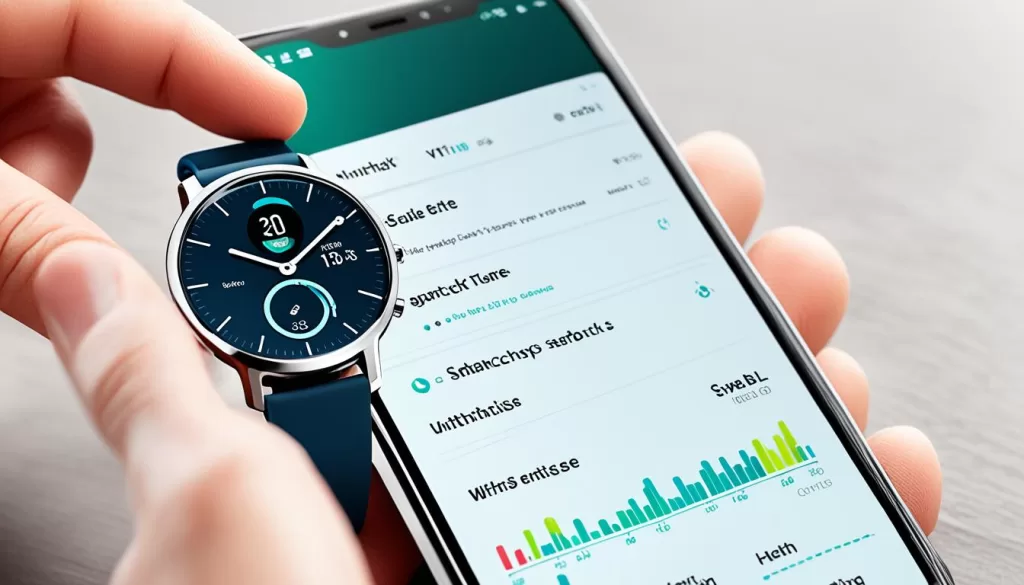
Step 3: Follow Instructions to Update Firmware
If a firmware update is available for your Withings Steel HR, the app will prompt you to download and install it. Follow the on-screen instructions to complete the update process.
Updating the firmware can potentially resolve any software-related issues that may be preventing your watch from turning on. It ensures that your device is equipped with the latest features and bug fixes, improving its overall performance.
If you encounter any difficulties during the firmware update process or if your Withings Steel HR still won’t turn on after updating, proceed to the next troubleshooting steps.
Contact Withings Support
If you’ve tried all the troubleshooting steps mentioned above and your Withings Steel HR still won’t turn on, it’s best to reach out to the Withings support team for further assistance. They can provide personalized guidance and help you identify any underlying issues with your device. Visit the Withings website or refer to the user manual for contact details.
Expert Advice and Assistance
When facing technical difficulties with your Withings Steel HR, it can be frustrating and time-consuming to find a solution on your own. By contacting the Withings support team, you gain access to expert advice and assistance specifically tailored to your situation. Their team of knowledgeable professionals can guide you through additional troubleshooting steps or help you determine if your device requires further repair.
Whether it’s a software glitch, hardware malfunction, or any other underlying issue, the Withings support team has the expertise to assist you in resolving the problem. Their goal is to ensure that you can enjoy using your Withings Steel HR to its full potential.
Don’t hesitate to contact the Withings support team today and get the help you need. Let their dedicated professionals provide you with the necessary support to get your Withings Steel HR back up and running in no time.
Seek Professional Repair
If you have tried all the troubleshooting steps and your Withings Steel HR watch still refuses to turn on, it’s time to consider seeking professional repair services. Don’t worry, there are experts who specialize in repairing smartwatches like yours. Contact an authorized repair center or visit a qualified technician who has experience with Withings products. They have the knowledge and expertise to diagnose the issue and recommend the necessary repairs to get your Steel HR back to working condition.
Professional repair services offer a range of benefits. Not only do they have access to genuine parts, but they also have specialized tools and equipment to assess the internal components of your device. These professionals can identify any underlying hardware issues that may be preventing your Steel HR from powering on properly. By entrusting your watch to a professional, you can ensure that the repair is done correctly and effectively, giving you peace of mind.
Remember, attempting to repair your device on your own can lead to further damage, voiding any warranties or insurance you may have. It’s always best to trust professionals who are knowledgeable in handling smartwatch repairs. They can provide you with an accurate assessment of the problem, recommend the appropriate solutions, and get your Withings Steel HR back up and running in no time.