
How to Fix Ticwatch E3 Steps Count Not Accurate Issue
Are you frustrated with the inaccurate step count on your Ticwatch E3 smartwatch? Do you rely on your smartwatch to track your daily activity, only to find that the steps count is constantly showing zero? It’s a common issue that many Ticwatch E3 users have encountered, but there might be a solution that can fix this problem.
Many users have tried various troubleshooting steps, from reinstalling apps to resetting permissions, but the steps count issue still persists. So, what can you do to ensure accurate step tracking on your Ticwatch E3? Is there a hidden setting or a workaround that can fix this frustrating problem? Let’s explore some possible solutions that might help you resolve the steps count not accurate issue on your Ticwatch E3.
Key Takeaways:
- Some watch faces on Ticwatch E3 display the step count correctly, while others constantly show zero.
- Disabling TicSystem via ADB might improve step count accuracy on the Ticwatch E3.
- Ensure that your Google Fit and Wear OS apps are updated to the latest version.
- Using the same Google account on both your watch and phone can lead to more accurate step tracking.
- Granting the necessary permissions to Google Fit is crucial for accurate step counting on the Ticwatch E3.
Possible Fix – Disable TicSystem via ADB
Are you experiencing inaccuracies in the step count on your Ticwatch E3? One user on Reddit discovered a potential solution to significantly improve the performance of their Ticwatch Pro by disabling TicSystem via ADB (Android Debug Bridge).
The user reported that disabling other Mobvoi apps on their smartwatch, with the exception of TicSystem, had already improved battery life. However, the user found that TicSystem could only be force-stopped temporarily.
To permanently disable TicSystem, the user shared step-by-step instructions for enabling ADB debugging on the watch, connecting it to a computer, and running the ADB command to disable TicSystem.
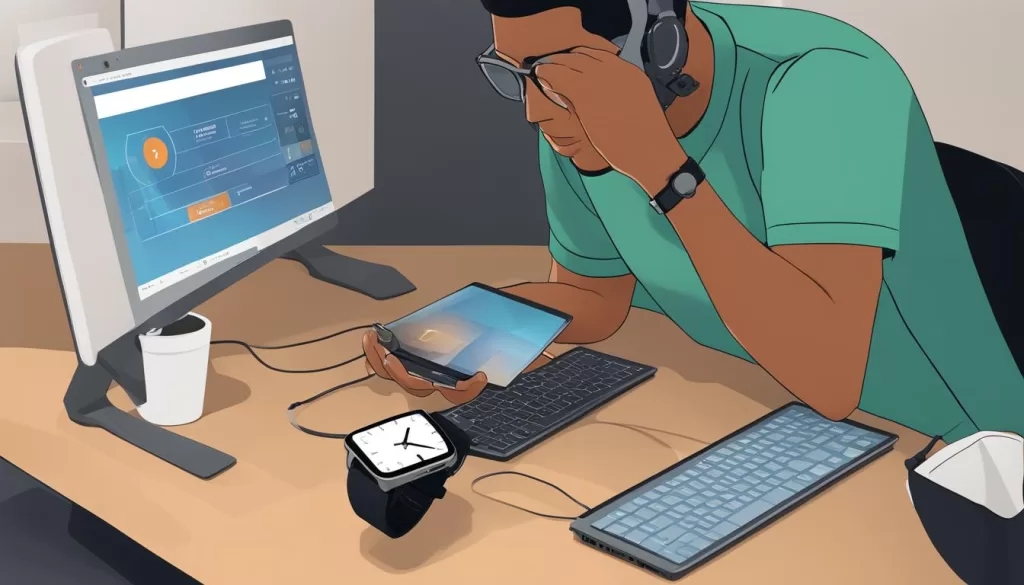
It is important to note that disabling TicSystem using this method may have some side effects. Default Ticwatch watch faces may disappear, and the steps counter may no longer function in those watch faces. However, if needed, enabling TicSystem can easily be done through the watch’s settings.
To troubleshoot step count inaccuracies on your Ticwatch E3, it is important to ensure that your Google Fit and Wear OS apps are up to date. By keeping these apps updated, you can ensure accurate step tracking on your watch.
To update the Google Fit and Wear OS apps, follow the steps below:
- Open the Play Store app on your Android phone.
- Go to “My apps & games.”
- Look for the Wear OS and Google Fit apps in the list of installed apps.
- If an update is available, tap on the respective app and select “Update.”
By regularly updating these apps, you can ensure that any bugs or issues related to step counting are fixed, improving the overall accuracy of your Ticwatch E3.
Why is updating the apps important?
Updating the Google Fit and Wear OS apps is crucial as developers often release new versions with bug fixes, performance improvements, and feature enhancements. These updates address any existing issues, ensuring that the step count accuracy on your Ticwatch E3 is optimized. Moreover, updates also provide compatibility with the latest operating system and potential integration with additional fitness tracking features.
Use the same account on your watch & phone
Another crucial step to improve the accuracy of the step count on your Ticwatch E3 is to ensure that you are using the same Google account on both your watch and your paired smartphone. To check if you are using the same account, follow these simple steps:
- Open the Google Fit app on your smartphone.
- Go to the profile section.
- Verify the account used for signing in.
- Swipe down from the top of the screen on your Ticwatch E3.
- Go to Settings.
- Navigate to the Accounts section.
- Verify the account used for sign-in.
If the accounts on both devices are different, it is recommended to sign in to the same account on both your watch and phone. By using the same account, you ensure accurate step tracking and synchronization between your Ticwatch E3 and Google Fit on your phone.
Having the same account on both devices allows for seamless tracking of your steps and ensures accurate data for your fitness goals. It eliminates any potential discrepancies that may occur when using different accounts.
By following this simple step, you can enhance the accuracy of your Ticwatch E3’s step count and have a more reliable recording of your daily activities.
Make sure Fit has the right permissions
When it comes to fixing inaccurate step counting on your Ticwatch E3, ensuring that Google Fit has the correct permissions is crucial. These permissions include location tracking, physical activity tracking, and heart rate tracking.
To grant these permissions, follow these steps:
- Open the app settings on your phone.
- Navigate to the permissions section.
- Verify that Fit has been granted all the necessary permissions for accurate step counting and activity tracking on your watch.
Granting Fit the required permissions will help optimize its functioning on your Ticwatch E3, ensuring more accurate step counts and activity tracking capabilities.
Remember to always prioritize privacy and security when granting permissions to apps.
Further Assistance
If the above steps do not resolve the issue of inaccurate step counting on your Ticwatch E3, don’t worry. There are still options available to get further assistance and find a fix for the problem.
You can reach out to the Ticwatch community for support and guidance. Posting your concerns and queries in relevant online communities like the Ticwatch subreddit, Wear OS subreddit, or Ticwatch support forums can connect you with other users who may have faced similar issues and found solutions.
Engaging with the community might provide you with additional insights, suggestions, or even specific steps to resolve the “steps count not accurate” problem on your Ticwatch E3.
Connect with the Ticwatch Community
By joining the Ticwatch community, you can tap into a wealth of knowledge and expertise shared by fellow users. They can offer troubleshooting tips, recommend alternative approaches, or even suggest software updates or patches that could address the step count accuracy issue.
Remember, you’re not alone in this, and there are others who will be more than happy to assist you in finding a resolution. With the collective efforts of the Ticwatch community, you have a better chance of getting your Ticwatch E3’s step count accuracy back on track.
If you’ve exhausted the troubleshooting steps mentioned earlier and still need further assistance, don’t hesitate to seek support from the dedicated Ticwatch customer service team. They have the expertise to help troubleshoot complex issues and guide you towards a resolution. Contact Ticwatch customer support directly or check their website for more information on how to get in touch.
Remember, resolving step count inaccuracies is essential to effectively track and manage your fitness goals. Don’t hesitate to seek further assistance and explore all available options to fix the issue on your Ticwatch E3.
Conclusion
The step count inaccuracies experienced by Ticwatch E3 users can be frustrating, but there are several potential solutions to address this issue. Disabling TicSystem via ADB, updating the Google Fit and Wear OS apps, using the same Google account on both the watch and phone, and ensuring Fit has the correct permissions are some of the steps you can take to improve the accuracy of your smartwatch’s step tracking.
If these steps do not resolve the problem, reaching out to the online community for further assistance and support can be beneficial. Engaging with relevant communities such as the Ticwatch subreddit, Wear OS subreddit, or Ticwatch support forums can provide additional insights and potential solutions for resolving the steps count not accurate problem.
Remember, accurate step counting is important for tracking and managing your fitness goals effectively. By following the suggested troubleshooting steps and seeking further assistance if needed, you can enhance the accuracy of the steps count on your Ticwatch E3 and continue enjoying a seamless fitness tracking experience.