
iPhone 13 Black Screen Won’t Turn On? Here’s How to Fix It in 5 Minutes
Have you ever encountered the frustrating issue of your iPhone 13 screen turning black and refusing to turn on? It’s a common problem that many iPhone users face. But fear not! In this article, we will guide you through the steps to troubleshoot and fix your iPhone 13 black screen issue in just 5 minutes.
Whether it’s caused by software glitches, power-related problems, or hardware issues, we have the solutions that can potentially get your iPhone 13 back up and running. So let’s dive in and discover how to resolve this annoying black screen problem.
Key Takeaways:
- Encountering a black screen issue on your iPhone 13 is a common problem.
- The black screen can be a result of software glitches, power-related issues, or hardware problems.
- You can try charging the device, performing a hard reset, or using third-party software to fix the issue.
- If the quick fixes don’t work, seeking professional assistance from Apple Support or authorized service centers is recommended.
- Remember to back up your data before attempting any troubleshooting methods.
Reasons Behind iPhone 13 Black Screen
The black screen on your iPhone 13 can occur due to various reasons. It is important to understand the possible causes in order to troubleshoot and resolve the issue effectively.
Software Issues
One of the common reasons for a black screen on the iPhone 13 is software-related problems. These can include minor software errors, a severe system crash, or glitches caused by an iOS update.
Hardware Problems
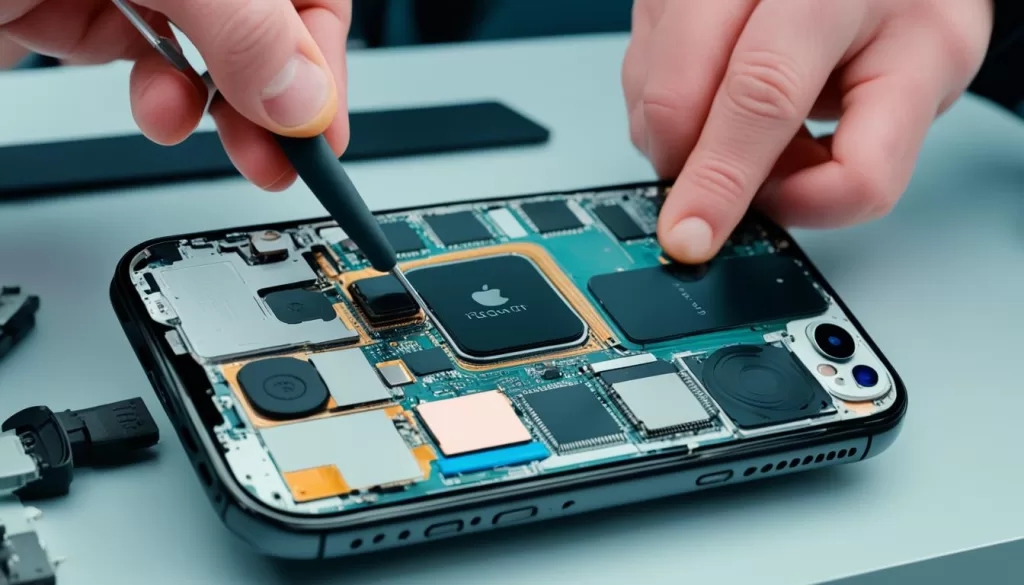
Hardware issues can also result in a black screen on the iPhone 13. A faulty display, damaged internal connections, or a damaged motherboard may cause the screen to go black.
Power-Related Issues
Power-related issues can be another potential cause of a black screen on the iPhone 13. Insufficient battery power or a drained battery can lead to the screen not turning on.
Unresponsive System
An unresponsive system can also contribute to the black screen problem. If the device freezes or becomes unresponsive, it may result in a black screen.
Understanding the reasons behind the black screen on your iPhone 13 is the first step towards resolving the issue. In the next section, we will explore some quick fixes to get your iPhone 13 screen up and running again.
Quick Fixes for iPhone 13 Black Screen
If you’re facing the frustrating issue of a black screen on your iPhone 13, there are a few quick fixes you can try before seeking professional help. These troubleshooting methods can help you resolve the problem and get your device up and running again.
1. Connect to a Power Source
The first step is to connect your iPhone 13 to a power source. Use the original charging cable and adapter, and plug it into a wall outlet or USB port on your computer. Allow your device to charge for a few minutes and see if the screen turns on.
2. Perform a Hard Reset
If connecting to power doesn’t fix the black screen issue, you can perform a hard reset. Here’s how:
- Press and quickly release the volume up button.
- Press and quickly release the volume down button.
- Press and hold the power button until the Apple logo appears on the screen.
This hard reset may help resolve any software glitches that might be causing the black screen problem.
3. Restore Your Device Using iTunes/Finder
If the previous methods didn’t work, you can try restoring your iPhone 13 using iTunes (Windows) or Finder (Mac). Keep in mind that this will erase all data on your device, so make sure you have a recent backup. Here’s how to do it:
- Connect your iPhone 13 to your computer using a Lightning cable.
- Open iTunes (Windows) or Finder (Mac).
- Select your iPhone 13 when it appears.
- In the Summary tab, click on “Restore iPhone” or “Restore”.
- Follow the prompts to complete the restoration process.
Restoring your device can help fix any software issues that might be causing the black screen. However, remember to create a backup before doing this step to ensure you don’t lose any important data.
4. Seek Professional Assistance
If none of these quick fixes resolve the black screen issue on your iPhone 13, it’s possible that there might be a hardware problem. In such cases, it’s best to seek professional assistance from an Apple Store or authorized service centers. They have the expertise to diagnose and repair any hardware-related issues.
| Quick Fixes for iPhone 13 Black Screen | Effectiveness |
|---|---|
| Connect to a Power Source | Medium |
| Perform a Hard Reset | High |
| Restore Your Device Using iTunes/Finder | High |
| Seek Professional Assistance | High |
Troubleshooting iPhone 13 Pro, Pro Max, and Mini Black Screen
If you own an iPhone 13 Pro, Pro Max, or Mini and are experiencing a black screen issue, you’re not alone. These models can also encounter similar problems to the standard iPhone 13. Here’s a guide to help you troubleshoot and fix the black screen on your device.
1. Charging the Device
One of the first things you can try is charging your iPhone 13 Pro, Pro Max, or Mini. Connect it to a power source using the original charger and cable, and wait for a few minutes. In some cases, a low battery level can cause the screen to appear black. If your device starts to charge and the screen turns on, it indicates a power-related issue.
2. Performing a Hard Reset
If charging doesn’t resolve the black screen problem, you can attempt a hard reset. First, press and release the volume up button, then the volume down button. Finally, hold the power button until you see the Apple logo on the screen. This can help clear any minor software glitches or unresponsive system issues that may be causing the black screen.
3. Restoring the Device using iTunes/Finder
If the previous methods don’t work, you can try restoring your iPhone 13 Pro, Pro Max, or Mini using iTunes or Finder. Connect your device to a computer with the latest version of iTunes or Finder installed. Follow the instructions to restore the device to factory settings. Keep in mind that this will erase all data on your device, so make sure to have a backup beforehand.
| Device Model | Troubleshooting Steps |
|---|---|
| iPhone 13 Pro | – Charge the device – Perform a hard reset – Restore using iTunes/Finder – Seek professional assistance if needed |
| iPhone 13 Pro Max | – Charge the device – Perform a hard reset – Restore using iTunes/Finder – Seek professional assistance if needed |
| iPhone 13 Mini | – Charge the device – Perform a hard reset – Restore using iTunes/Finder – Seek professional assistance if needed |
If the black screen issue persists even after trying these troubleshooting steps, it may indicate a hardware problem. In such cases, it’s recommended to reach out to Apple Support or visit an authorized service center for further assistance and repair.
Remember, these troubleshooting methods are general guidelines and may not work in every situation. It’s always a good idea to keep your device updated with the latest software and seek professional help if needed.
iPhone 13 Screen Goes Black Randomly
Some users may experience their iPhone 13 screen randomly going black. This can be a frustrating issue to deal with, as it interrupts your usage and makes it difficult to perform tasks on your device. There can be several reasons why this happens, ranging from software glitches to hardware problems. Understanding the potential causes can help you find an appropriate solution.
Possible Causes of iPhone 13 Screen Going Black Randomly
- Random crashes within the iOS: The operating system on your iPhone 13 may encounter occasional crashes, leading to a black screen temporarily.
- Bugs from iOS updates: Sometimes, when a new iOS update is installed, it can introduce bugs or conflicts that cause the screen to go black randomly.
- Unidentified physical damage: Your iPhone 13 may have experienced physical damage that is not immediately visible, causing the screen to malfunction intermittently.
When faced with a randomly black screen on your iPhone 13, it is important to take some troubleshooting steps to resolve the issue.
Steps to Fix iPhone 13 Screen Going Black Randomly
- Check the battery level: Ensure that your iPhone 13 is adequately charged. Connect it to a power source and monitor if the black screen issue persists.
- Perform a hard reset: Press and release the volume up button, followed by the volume down button. Then, press and hold the power button until the Apple logo appears on the screen.
- Update to the latest iOS version: Check for any available software updates for your iPhone 13. Installing the latest iOS version can often fix bugs and stability issues.
- Seek professional assistance: If the problem continues to occur, it is advisable to bring your iPhone 13 to an Apple Store or authorized service center for further diagnostics and repairs.
By following these steps, you can increase the chances of resolving the issue of your iPhone 13 screen going black randomly. However, if the problem persists, it is crucial to seek professional help to ensure a proper diagnosis and repair.
iPhone 13 Black Screen Won’t Turn On
If you’re facing the issue of your iPhone 13 screen remaining black and not turning on, there are several potential reasons for this problem. It could be caused by a severe system crash, issues with the latest iOS update, or unseen hardware damage. But don’t worry, there are steps you can take to try and resolve the issue.
To fix the iPhone 13 screen that is black and won’t turn on, here are some possible solutions:
- Force restart your device: Press and release the volume up button, then the volume down button. After that, hold the power button until the Apple logo appears. This method can help resolve software glitches that might be causing the black screen issue.
- Leave your device charged: Connect your iPhone 13 to a power source and let it charge for at least 30 minutes. Sometimes, a drained battery can prevent the device from turning on. After charging, try turning it on again.
- Seek professional help: If none of the above methods work, it’s possible that your iPhone 13 has experienced hardware damage. In such cases, it’s best to consult Apple Support or visit an authorized service center for further assistance and diagnostics.
Remember to backup your important data regularly to avoid any potential data loss during troubleshooting processes.
By following these steps, you can hopefully resolve the issue of your iPhone 13 screen staying black and not turning on. If the problem still persists, professional help is recommended to ensure a thorough diagnosis and appropriate solution.
iPhone 13 Black Screen but Still Works
In certain scenarios, your iPhone 13 may exhibit a black screen while still maintaining full functionality. This perplexing issue can be the result of display-specific software glitches, bugs introduced by iOS updates, or physical damage to the display module. Fortunately, there are several steps you can take to address this problem and restore your device’s screen.
To begin troubleshooting, try performing a hard reset of your iPhone 13 by pressing and releasing the volume up button, followed by the volume down button, and holding the power button until the Apple logo appears. This simple step can often resolve minor software hiccups that may be causing the black screen.
If a hard reset doesn’t resolve the issue, consider updating your iPhone 13 to the latest iOS version. Software updates often contain bug fixes that can rectify display-related problems. To update your device, go to Settings, then General, and select Software Update.
If the problem persists, it may indicate underlying hardware damage. In such cases, it is advisable to seek professional assistance from an authorized service center or visit an Apple Store. Certified technicians can diagnose and repair any hardware issues that may be causing the black screen but preserving the functionality of your iPhone 13.