
How to Fix Huawei Watch GT 3 Heart Rate Monitoring Not Accurate Issue
Are you frustrated with the heart rate monitoring accuracy of your Huawei Watch GT 3? Do you find yourself questioning the reliability of the readings? It’s time to dive into the possible solutions and optimize your heart rate monitoring experience.
The Huawei Watch GT 3 is equipped with an optical heart rate sensor that measures your heart rate, but sometimes, inaccuracies can occur. Whether you’re facing heart rate discrepancies, a non-functional heart rate monitor, or other heart rate-related issues, we have the answers you need.
Discover the troubleshooting tips, best practices, and expert advice to fix the heart rate monitoring issues on your Huawei Watch GT 3. Say goodbye to unreliable heart rate readings and unlock the full potential of this remarkable wearable device.
Key Takeaways:
- Enabling Continuous heart rate monitoring and Real-time mode in the Huawei Health app can improve heart rate accuracy.
- Ensure the device is worn correctly on the wrist, with a comfortable fit and without any interference from sweat or foreign objects.
- Choose the appropriate workout type and tighten the device during workouts for more accurate heart rate readings.
- Consider factors such as software versions, low temperatures, tattoos, and fitness level that may affect heart rate measurements.
- If issues persist, try troubleshooting steps or reach out to the Huawei Customer Service Center for further assistance.
Wearing the Device Correctly
Properly wearing the Huawei Watch GT 3 is crucial to ensure accurate heart rate measurements. Follow these guidelines to achieve the best results:
Positioning the Device
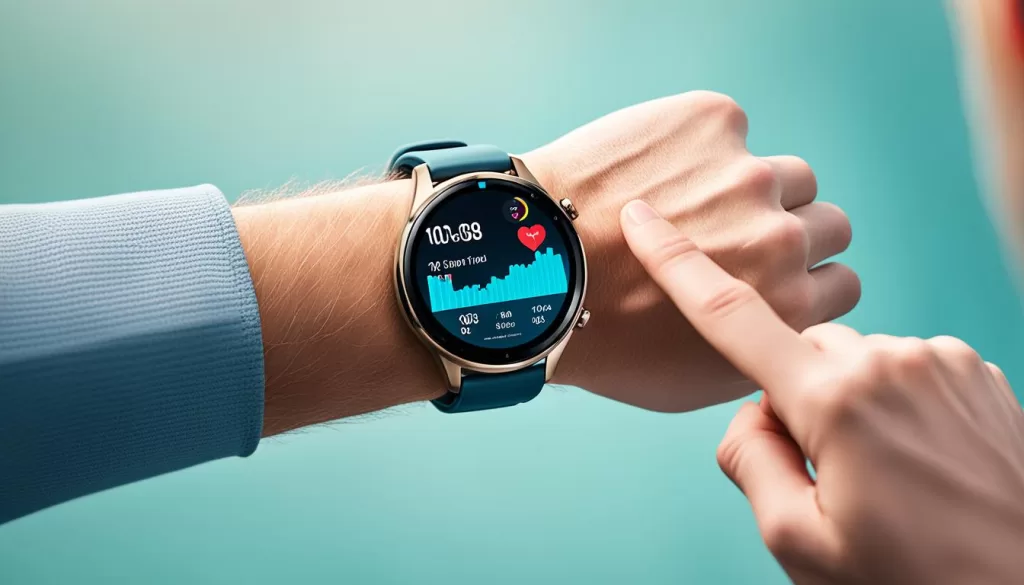
Position the Huawei Watch GT 3 one-finger width above your wrist bone, with the screen facing upward. This placement allows for optimal contact with the heart rate sensor and ensures accurate readings.
Comfortable Fit
Ensure that the device is neither too tight nor too loose on your wrist. A comfortable fit not only provides a better user experience but also enhances the accuracy of heart rate monitoring. Adjust the strap accordingly to achieve the right balance.
Avoid Sweat Interference
Sweat can potentially interfere with the heart rate monitor. Before wearing your Huawei Watch GT 3, make sure to wipe your wrist and the back of the device to remove any moisture or sweat. This step helps maintain clear communication between the sensor and your skin.
Avoid Foreign Object Interference
Foreign objects, such as dirt or debris, can also impact the accuracy of the heart rate monitor. Clean the wrist and the back of the device to eliminate any potential interference caused by foreign objects.
During heart rate measurements, it is important to keep your wrist still to obtain precise readings. By following these tips, you can ensure that your Huawei Watch GT 3 is worn correctly, allowing for accurate and reliable heart rate monitoring.
Improving Accuracy During Workouts
To ensure accurate heart rate measurements during your workouts with the Huawei Watch GT 3, there are several steps you can take. These include adjusting the strap, managing sweat, selecting the appropriate workout type, using a soft rubber strap, warming up, and understanding heart rate fluctuations.
Adjusting Strap for Workouts
Before you begin your workout, it’s important to ensure that the strap of your Huawei Watch GT 3 is securely tightened. This will help maintain optimal contact between the device and your wrist, improving the accuracy of heart rate measurements. After your workout, remember to loosen the strap for a more comfortable fit.
Sweating and Heart Rate Accuracy
If you tend to sweat during your workouts, it’s essential to wipe off the sweat from your wrist and the back of the device before wearing it. This will help prevent any potential interference with the heart rate sensor, allowing for more accurate measurements. Additionally, slightly tightening the strap when sweating occurs can help maintain accurate readings.
Workout Types and Heart Rate Accuracy
Selecting the appropriate workout type on your Huawei Watch GT 3 is crucial for accurate heart rate measurements. The algorithm is optimized for different activities, ensuring that you get the most precise readings. Be sure to choose the workout type that best aligns with your activity to enhance heart rate accuracy.
Using Soft Rubber Strap for Heart Rate Accuracy
If you are a frequent exerciser, using a soft rubber strap can optimize the contact between your Huawei Watch GT 3 and your wrist. This improved contact can enhance the accuracy of heart rate measurements, giving you more reliable data during your workouts.
Warm-up and Heart Rate Accuracy
Prior to starting your workout, it’s important to warm up your body, especially if you are exercising in a cold environment. This helps increase blood flow and prepares your body for activity, improving the accuracy of heart rate readings during your workout.
Heart Rate Fluctuations During Exercise
During certain exercises that involve frequent changes of pace, heart rate fluctuations may occur. This is normal and can be attributed to the changing demands on your cardiovascular system. Understanding these fluctuations can help you better interpret your heart rate data and make adjustments to your workout intensity accordingly.
Other Factors Affecting Heart Rate Measurements
When using the Huawei Watch GT 3 for heart rate monitoring, it’s important to consider various factors that can affect the accuracy of your measurements. These factors can range from software versions and daily data resets to external conditions and personal characteristics. Understanding these influences will help you obtain more accurate heart rate readings and enhance your overall monitoring experience.
Huawei Watch GT 3 Software Versions and Heart Rate Accuracy
Keeping your Huawei Watch GT 3 and the Huawei Health app up to date with the latest software versions is crucial for optimal heart rate accuracy. Software updates often include improved algorithms that enhance the device’s ability to measure your heart rate accurately. By ensuring your device is updated regularly, you can take advantage of these advancements and improve the overall accuracy of your heart rate monitoring.
Daily Reset of Heart Rate Data
The Huawei Watch GT 3 resets heart rate data on a daily basis. If the device fails to detect your heart rate during a specific period, it adds a default value that does not affect the overall accuracy of your heart rate measurements. This daily reset ensures that your heart rate data remains current and reliable.
Factors Affecting Heart Rate Measurement
Several factors can impact the accuracy of heart rate measurements on the Huawei Watch GT 3. These factors include:
- Low temperatures: In cold environments, low temperatures can cause narrowed capillaries and decreased blood flow, potentially affecting heart rate accuracy.
- Tattoos and excessive hair on the wrist: Tattoos, scars, and excessive hair on the wrist can interfere with the sensor’s ability to receive reflected light, leading to inaccurate heart rate readings.
- Fitness level and weak heartbeat: Your fitness level and the strength of your heartbeat can influence heart rate accuracy. Individuals with a weak heartbeat may experience challenges in obtaining accurate measurements.
- Clogged blood vessels and heart disease: Factors such as clogged blood vessels and certain heart conditions can impact heart rate accuracy on the Huawei Watch GT 3. In such cases, using a medical device for heart rate measurements is recommended for more reliable results.
It’s important to keep these factors in mind and adjust your expectations accordingly when using the Huawei Watch GT 3 for heart rate monitoring.
Comparisons with Medical Devices
While the Huawei Watch GT 3 provides valuable heart rate monitoring capabilities, it’s important to note that it utilizes different measurement principles compared to medical devices. Wearable devices like the Huawei Watch GT 3 use optical signals to monitor pulses, which can be affected by external light and arm movements. In contrast, medical devices rely on arterial pressure meters and electrocardiograms (ECGs) for heart rate measurements.
Additionally, wearable devices like the Huawei Watch GT 3 display real-time heart rate results, while medical devices typically provide average values per minute. When comparing heart rate measurements between the Huawei Watch GT 3 and medical devices, it’s essential to consider these differences in measurement principles and periods for a more accurate comparison.
Understanding these other factors that can affect heart rate measurements on the Huawei Watch GT 3 will help you make the necessary adjustments for more accurate and reliable monitoring. By staying aware of software updates, considering external conditions, and understanding the limitations of wearable devices compared to medical devices, you can enhance your heart rate monitoring experience and make more informed decisions regarding your health and fitness goals.
Troubleshooting and Further Assistance
If you are experiencing issues with the heart rate monitor on your Huawei Watch GT 3, there are a few troubleshooting steps you can try to resolve the problem. First, we recommend resetting the device by following the instructions in the user manual. This can help resolve any temporary software glitches that may be affecting the heart rate monitor.
Next, ensure that you have the correct device and app settings for heart rate monitoring. Open the Huawei Health app and navigate to the settings section to verify the heart rate monitoring options. Make sure that Continuous heart rate monitoring and real-time mode are enabled for accurate and up-to-date heart rate readings.
If the problem persists, it’s a good idea to check for any software updates for both your Huawei Watch GT 3 and the Huawei Health app. Updating to the latest versions can often fix any bugs or issues that may be causing the heart rate monitor to malfunction.
If you have tried these troubleshooting steps and the heart rate monitor is still not working, we recommend contacting the nearest Huawei Customer Service Center for further assistance. They have trained professionals who can evaluate your device and provide the necessary support to resolve the issue.
Remember, accurate heart rate monitoring is crucial for tracking your fitness and overall health. If you are unable to resolve the problem on your own, don’t hesitate to reach out to the experts at the Huawei Customer Service Center for prompt and reliable help.
Comparison with Medical Devices
When it comes to comparing heart rate measurements, it’s important to exercise caution when comparing the Huawei Watch GT 3 with medical devices. Wearable devices like the Huawei Watch GT 3 use optical signals to monitor your pulse, which can be influenced by external lighting conditions and arm movements. On the other hand, medical devices rely on arterial pressure meters and ECGs for more accurate readings.
The measurement periods also differ between wearable devices and medical devices. Wearables, such as the Huawei Watch GT 3, provide real-time heart rate results, while medical devices typically offer average values per minute. To make a more accurate assessment, you can calculate the average one-minute heart rate value based on the data from your wearable device and compare it to the readings from a medical device.
Heart Rate Monitoring Tips and Best Practices
To optimize heart rate monitoring with the Huawei Watch GT 3, follow these tips and best practices:
1. Keep your device and app up to date: Ensure you have the latest version of both the Huawei Watch GT 3 device and the Huawei Health app. Software updates often include improvements to heart rate monitoring algorithms, enhancing accuracy.
2. Set the right device and app settings: Access the Health monitoring section in the Huawei Health app and enable Continuous heart rate monitoring and Real-time mode. These settings allow for consistent heart rate tracking and immediate updates.
3. Wear the device correctly: Position the Huawei Watch GT 3 device one-finger width above your wrist bone, with the screen facing upward. Avoid wearing it too tightly or loosely to ensure a comfortable fit.
4. Keep your wrist still during measurements: Movement of the wrist can affect the accuracy of heart rate readings. Maintain a steady wrist position while the device is capturing heart rate data.
5. Wipe off sweat and foreign objects: Before wearing the device, ensure your wrist and the back of the Huawei Watch GT 3 are clean and free from sweat, dirt, or any other objects that may interfere with the heart rate sensor.
6. Select the appropriate workout type: When engaging in physical exercise, choose the workout type that best matches your activity. Different workout types are optimized for specific movement patterns and intensities, resulting in more accurate heart rate measurements.
7. Maintain a consistent effort level: For accurate heart rate readings, strive to maintain a steady effort level throughout your workout. Heart rate fluctuations may occur during exercises that involve frequent changes in pace.
8. Prepare for colder environments: In colder weather, wear gloves or long sleeves that cover the device to maintain accurate heart rate measurements. Before starting a workout in a cold environment, warm up properly to increase blood flow.
9. Review and analyze heart rate data: Regularly check the heart rate data recorded by the Huawei Watch GT 3 in the Huawei Health app. Analyzing your heart rate patterns can provide insights into your overall health and fitness levels.
Conclusion and Final Thoughts
The Huawei Watch GT 3 provides users with heart rate monitoring capabilities, allowing you to track your heart rate and gain valuable insights into your health and fitness levels. By following the recommended tips, best practices, and troubleshooting steps, you can improve the accuracy of your heart rate measurements and ensure reliable data.
It is crucial to understand that various factors can affect heart rate readings. By wearing the device correctly, avoiding tightness or looseness, and keeping the wrist still during measurements, you can optimize the accuracy of the heart rate monitor. Additionally, selecting the appropriate workout type and maintaining a consistent effort level can enhance the reliability of the readings.
Regularly reviewing and analyzing the heart rate data in the Huawei Health app enables you to track your progress, identify any potential issues, and make informed decisions about your exercise routine and overall well-being. However, if you encounter persistent issues or have questions, reaching out to the Huawei Customer Service Center can provide you with further assistance and guidance on how to get the most out of your Huawei Watch GT 3.