
How To Factory Reset Huawei Watch GT 2e
Have you ever encountered persistent issues with your Huawei Watch GT 2e? Is your smartwatch slow, freezing, or low on storage? You might be wondering if there’s a way to fix these problems and restore your device to its optimal performance. Well, we have a question for you: Do you know how to factory reset your Huawei Watch GT 2e?
Factory resetting your Huawei Watch GT 2e can be a game-changer when it comes to troubleshooting issues and refreshing your device. It’s a powerful tool that can help resolve software glitches, improve overall performance, and free up storage space. But how exactly do you perform a factory reset on your smartwatch?
In this article, we’ll guide you through the step-by-step process of factory resetting your Huawei Watch GT 2e. We’ll also discuss the benefits of resetting your device, important considerations to keep in mind, and troubleshooting steps you can try before resorting to a factory reset.
So, if you’re ready to unlock the full potential of your Huawei Watch GT 2e and say goodbye to those nagging issues, let’s dive in and discover how to factory reset your smartwatch!
Key Takeaways:
- A factory reset can help you troubleshoot issues and refresh your Huawei Watch GT 2e.
- The reset process erases all content, so it’s crucial to back up your data beforehand.
- Accessing the factory reset option can be done through the watch settings or a connected mobile phone.
- Consider important factors such as battery power and software updates before performing a reset.
- Troubleshooting steps can be attempted before resorting to a factory reset.
Accessing the Factory Reset Option on Huawei Watch GT 2e
To access the factory reset option on your Huawei Watch GT 2e, follow these simple steps:
1. Swipe or browse the screen until you find the “General” option and click on it.
2. Once in the “General” menu, swipe again to navigate to the “Disconnect,” “Disconnect and reset,” or “Unpair” option.
3. Confirm your selection, and the device will begin the reset process. Please note that the reset process may take a few minutes.
If the above instructions do not work, you can also try accessing the factory reset option through the “General Administration” section in the settings menu.
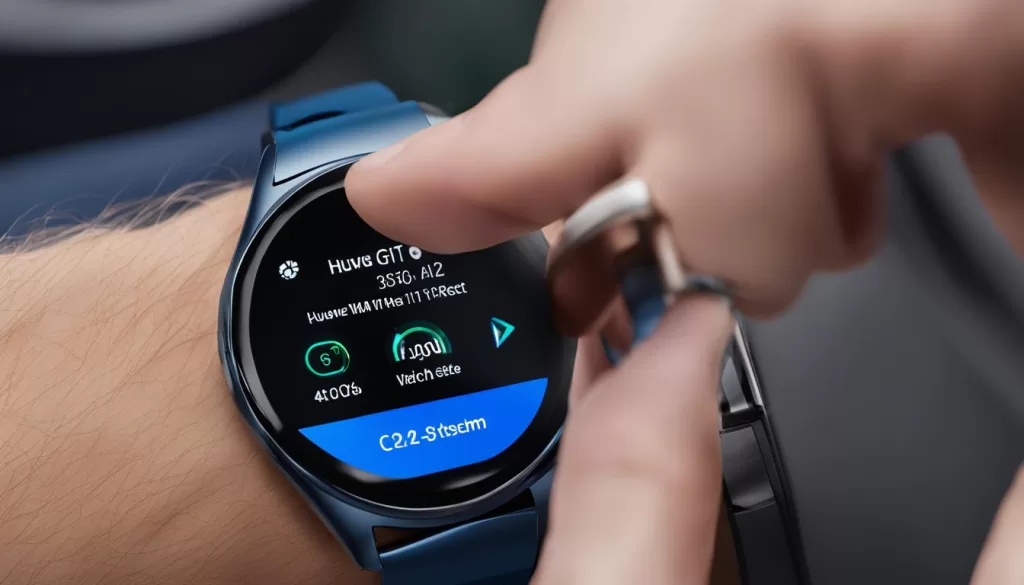
For a visual representation of how to access the factory reset option, refer to the image below:
By following these steps, you will be able to easily access the factory reset option on your Huawei Watch GT 2e and troubleshoot any issues you may be experiencing.
Resetting Huawei Watch GT 2e from a Mobile Phone
If you want to reset your Huawei Watch GT 2e from your linked mobile phone, follow these steps:
- Go to the Bluetooth settings on your smartphone.
- Locate your Huawei Watch GT 2e under the list of paired devices.
- Tap on the gear icon next to your smartwatch.
- Choose the “Unpair” or “Forget” option to disconnect your watch from your phone.
- Next, uninstall the Wear OS app from your phone.
- Reinstall the Wear OS app on your phone.
- Set up your Huawei Watch GT 2e as a new device.
Once you complete these steps, your watch will be reset to its factory settings. Remember to backup any important data before performing the reset, as it will be erased during the process.
Important Considerations for Factory Resetting Huawei Watch GT 2e
Before performing a factory reset on your Huawei Watch GT 2e, there are a few important considerations you should keep in mind:
Backup Your Data and Settings
It is crucial to backup any important data or settings that you want to keep before proceeding with a factory reset. The reset process will erase all the content on your smartwatch and revert it back to its original settings. By backing up your data, you can ensure that you don’t lose any valuable information.
Ensure Sufficient Battery Power
Before initiating the reset process, make sure that your Huawei Watch GT 2e has enough battery power to complete the reset. It is recommended to have your smartwatch charged to at least 50% or connect it to a power source during the reset to avoid any interruptions.
Update Software
Prior to performing a factory reset, it’s a good idea to update the software on your Huawei Watch GT 2e to the latest version. This ensures that you have the most up-to-date features and improvements. You can check for software updates in the settings menu of your smartwatch.
By keeping these considerations in mind, you can proceed with confidence when performing a factory reset on your Huawei Watch GT 2e.
Troubleshooting Issues with Huawei Watch GT 2e before Factory Reset
If you’re experiencing issues with your Huawei Watch GT 2e, there are some troubleshooting steps you can try before resorting to a factory reset. Common problems include slow performance, freezing, or low storage. Here are some solutions you can attempt:
- Clearing cache and app data: Over time, accumulated cache and data can affect the performance of your watch. Clearing the cache and app data can help resolve certain issues. Go to the “Settings” menu on your watch, navigate to “Apps,” and select the app you want to clear the data for.
- Closing unused apps: Having multiple apps running in the background can consume resources and impact the performance of your smartwatch. Close any unused apps to free up system resources. Swipe up from the bottom of the screen to access the app switcher, then swipe left or right to close the desired apps.
- Restarting the watch: Sometimes, a simple restart can fix minor software glitches. Hold the power button on your watch, and select “Restart” from the options menu. Wait for the watch to restart and see if the issue persists.
- Updating the watch’s software: Software updates often include bug fixes and performance improvements. Ensure that your watch is running the latest firmware by going to the “Settings” menu, selecting “System,” and navigating to “System update.” If an update is available, download and install it.
If none of these troubleshooting steps resolve the issue you’re facing, a factory reset may be necessary to bring your Huawei Watch GT 2e back to optimal performance. However, remember to back up any important data before proceeding with the reset to avoid data loss.

Benefits of Factory Resetting Huawei Watch GT 2e
Performing a factory reset on your Huawei Watch GT 2e can provide several benefits. It can help resolve software issues, improve performance, and free up storage space. By resetting the device to its factory state, you can start fresh and ensure that all settings and configurations are back to their default values. This can be especially useful if you’re experiencing persistent problems or want to sell or give away your smartwatch.
Conclusion and Final Thoughts on Huawei Watch GT 2e Factory Reset
Performing a factory reset on your Huawei Watch GT 2e can be a valuable solution for troubleshooting issues or revitalizing your device. The process is relatively straightforward, but it’s important to grasp the necessary steps and considerations before proceeding with a reset.
Prior to initiating the reset, it’s crucial to back up your data and settings to prevent any potential loss. This ensures that you can easily restore your information once the reset is complete. Backing up your watch is a simple process that can be done through the Huawei Health app.
If you encounter any persistent issues or difficulties during the reset process, it’s recommended to seek assistance from the official Huawei support channels. Their team of experts can provide guidance and resolve any technical challenges you may face.
In conclusion, a factory reset can help resolve software issues, optimize performance, and refresh your Huawei Watch GT 2e. By understanding the process, backing up your data, and seeking support when needed, you can confidently perform a factory reset and enjoy a seamless experience with your smartwatch.