
How to Fix Garmin Venu Sq Heart Rate Monitoring Not Accurate Issue
When it comes to fitness tracking, accuracy is key. But what if your Garmin Venu Sq’s heart rate monitoring feature is not delivering accurate results? This can be frustrating, especially when you rely on it to track your workout intensity and gauge your overall health.
The reliability of heart rate monitoring on the Garmin Venu Sq can sometimes be questionable, leading to discrepancies in heart rate readings. So, what can you do to address this issue and improve the accuracy of your heart rate measurements?
Key Takeaways:
- Heart rate accuracy issues can be a common concern with the Garmin Venu Sq smartwatch.
- The design of wrist-based heart rate monitors may limit their accuracy.
- Improper fit and obstructions can affect the reliability of heart rate readings.
- Consider using a chest strap heart rate monitor for more precise measurements.
- Updating the software and contacting Garmin customer support can help troubleshoot heart rate accuracy problems.
How the Garmin Venu Sq Heart Rate Monitor Works
The heart rate monitor on the Garmin Venu Sq uses optical heart rate sensors located on the back of the watch to track your heart rate. These sensors leverage the power of light to detect variations in blood volume just beneath your skin. However, it’s important to note that this method has its limitations, which can sometimes lead to imprecise heart rate measurements.
Blood volume alterations caused by factors like body movements or muscle contractions in the wrist area can affect the accuracy of your heart rate readings. Understanding these limitations is crucial when relying on the heart rate monitoring feature of your Garmin Venu Sq.

By utilizing optical heart rate sensors and measuring blood volume alterations, the wrist-based heart rate monitor in the Garmin Venu Sq provides a convenient way to track your heart rate during workouts and daily activities. However, it’s important to keep in mind that it may not be as accurate as other methods, such as using a chest strap heart rate monitor.
Despite its limitations, the Garmin Venu Sq heart rate monitor remains a valuable tool for monitoring your heart rate on the go. In the following sections, we will explore troubleshooting tips and additional solutions to help improve the accuracy of your heart rate readings with the Garmin Venu Sq.
Troubleshooting Tips for Improving Heart Rate Accuracy
To ensure the heart rate sensor on your Garmin Venu Sq is working properly, it’s important to follow some guidelines.
The watch should be worn snugly, but not excessively tight, to ensure continuous contact between the sensor and your skin. Wearing the watch above your wrist bone and on the outside of your wrist is recommended for optimal accuracy. Additionally, using silicone bands can provide more accurate readings compared to leather, metal, or nylon bands.
Regularly cleaning the heart rate sensor and ensuring it is free from obstructions can also help improve accuracy. If you’re still experiencing heart rate discrepancies or if the monitor is not working properly, it may be necessary to recalibrate or consider using a chest strap heart rate monitor for more accurate readings.
Garmin Venu Sq Heart Rate Sensor Placement
The placement of your Garmin Venu Sq on your wrist can significantly impact the accuracy of the heart rate readings. To make sure your heart rate is tracked correctly, wear the watch above your wrist bone and on the outside of your wrist.
This ensures that the heart rate sensor has optimal contact with your skin, improving the accuracy of the readings.
The Benefits of Using a Chest Strap Heart Rate Monitor
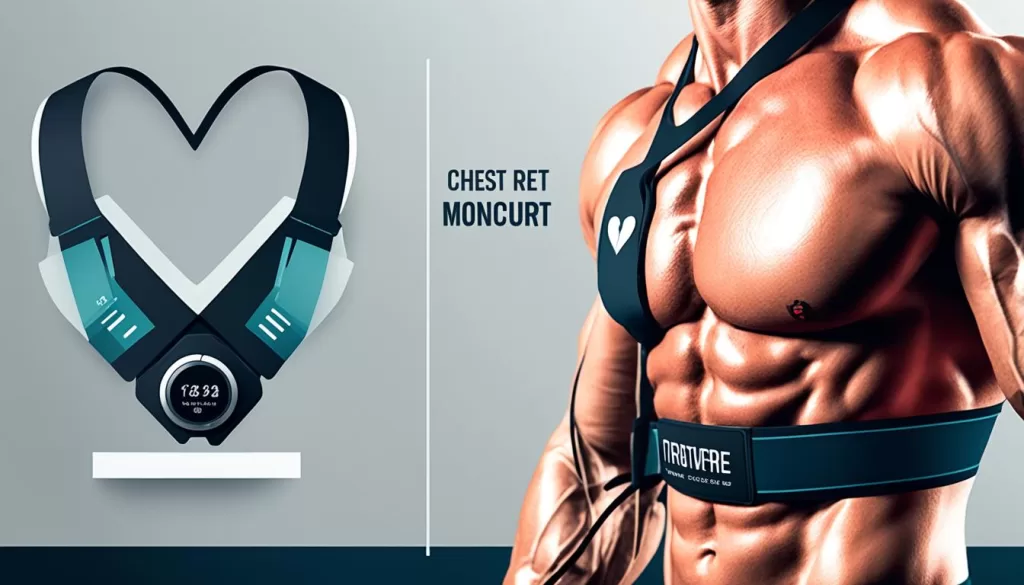
While the Garmin Venu Sq offers wrist-based heart rate monitoring, it’s important to note that chest strap heart rate monitors provide a higher level of precision.
These monitors use electrodes to gather the heart’s electrical signals, a heart rate measurement technique known as electrocardiography (ECG).
Chest strap heart rate monitors are not affected by surrounding light conditions and can provide up to 99% accuracy compared to hospital-grade ECG devices.
Investing in a chest strap heart rate monitor, such as the Garmin HRM-Pro™ Plus, can ensure more reliable heart rate measurements during training sessions.
Additional Troubleshooting Tips for Garmin Venu Sq Heart Rate Monitoring
If you’re still experiencing issues with heart rate accuracy on your Garmin Venu Sq, don’t worry – there are a few troubleshooting tips you can try to improve your heart rate tracking. First and foremost, make sure you have the latest software version installed on your watch. Updates often include improvements and bug fixes specifically for heart rate tracking, so keeping your device up to date can make a significant difference.
Next, double-check the fit of your watch on your wrist. It’s important to wear it snugly, but not excessively tight. This ensures optimal contact between the heart rate sensor and your skin, allowing for more accurate readings. Adjust the strap if necessary, and make sure the watch is worn above your wrist bone and on the outside of your wrist. This positioning can help optimize the sensor’s accuracy.
If you’ve tried these steps and are still encountering inaccuracies, it may be helpful to reach out to Garmin customer support. They have a team of experts who can provide further assistance and troubleshoot any specific issues you may be facing. They can offer personalized guidance based on your situation, helping you get the most accurate heart rate readings possible on your Garmin Venu Sq.
Remember, heart rate accuracy is crucial for effectively tracking and monitoring your fitness progress. By following these troubleshooting tips and leveraging the expertise of Garmin’s customer support, you can enhance your heart rate tracking experience and ensure that your Garmin Venu Sq provides you with the most reliable data.