
How to Fix Garmin Venu 2 Software Won’t Update Issue
Are you frustrated with your Garmin Venu 2 software update not working? Have you been receiving notifications to install the latest software update, but it just won’t update? Before you consider returning your device, there may be potential solutions to resolve this common problem.
Key Takeaways:
- Many Garmin Venu 2 users face difficulties updating their software, but there are possible solutions to fix this issue.
- The exact cause of the software update failure is not clear, but it might be related to a coding problem in the Venu watch software.
- Contacting Garmin support can provide personalized assistance and potential solutions.
- Returning or exchanging the device has helped some users resolve the update problem.
- Ensuring proper connectivity and syncing with Garmin Express can force the update and fix any potential errors.
Possible Causes of Software Update Failure
The exact cause of the software update failure on the Garmin Venu 2 is not clear. However, based on user reports, it appears that the issue may be related to a coding problem in the Venu watch software. Some users have tried various fixes suggested by Garmin support, such as deleting update files and the REMOTESW folder, but these solutions have not resolved the issue for everyone.
Contacting Garmin Support
If you’re experiencing issues with downloading software updates for your Garmin Venu 2, don’t worry. Many users have encountered similar problems and have successfully reached out to Garmin support for assistance.
When facing a software update problem, it’s understandable to feel frustrated and unsure about how to proceed. But rest assured, Garmin support is available to help you get through this issue and get your Venu 2 up and running smoothly.
Users who have contacted Garmin support have reported positive experiences, with the company providing helpful suggestions and even replacement devices for those unable to resolve the update problem. This personalized assistance can be invaluable in getting your Garmin Venu 2 software update back on track.
So, if you’re struggling with your Garmin Venu 2 software update, we recommend contacting Garmin support directly. They have the expertise and resources to guide you through the troubleshooting process and provide the assistance you need to resolve the update problem.
Remember, don’t hesitate to reach out to Garmin support. They are there to help you every step of the way.
Recommended Solution – Return or Exchange
If you have been unable to resolve the Garmin Venu 2 software update issue using the previous troubleshooting steps, returning or exchanging your device may be the best solution. Based on user experiences, many individuals have found success in resolving the update problem by returning their Garmin Venu 2 to the manufacturer for a replacement.
To initiate the return or exchange process, it is important to contact Garmin support directly and explain the software update issue you have encountered. Provide them with any relevant details and describe the steps you have already taken to try and resolve the problem. By reaching out to Garmin support, they will be able to guide you through the necessary steps and assist you in finding the most suitable solution.
Some users have reported receiving brand new devices as replacements if their original purchase was made within the last 6 months. This shows Garmin’s commitment to ensuring customer satisfaction and resolving any software update issues that may arise.
Before proceeding with a return or exchange, it is essential to review the return policy and warranty information provided by Garmin. This will help you understand the process and any associated costs or requirements. Keep in mind that returning or exchanging the device may not be the only solution, so it is advisable to consider other troubleshooting steps as well.
Remember, returning or exchanging your Garmin Venu 2 should only be considered as a last resort if other efforts to troubleshoot the software update issue have failed. By reaching out to Garmin support and explaining your situation, you may be able to find a satisfactory resolution to the update problem.
Connectivity and Syncing Solutions
Some users have reported success in resolving the software update issue by ensuring proper connectivity and syncing their Garmin Venu 2 with Garmin Express on their computers. This may force the update to occur and resolve any potential software update errors.
To begin, ensure that your Garmin Venu 2 is properly connected to your computer via USB cable. Check that the cable is securely plugged into both the watch and the computer.
Next, open Garmin Express on your computer and make sure it is up to date. If not, download and install the latest version from the official Garmin website.
Once Garmin Express is open, follow the on-screen instructions to add your device. Make sure to select the correct model, which in this case is the Garmin Venu 2.
After adding the device, Garmin Express should automatically detect your Garmin Venu 2 and display available updates. If an update is available, click on the “Install” or “Update” button to begin the process.
If your Garmin Venu 2 does not sync with Garmin Express or the update process fails, try power cycling both your watch and your computer. Power off your watch, disconnect it from the computer, and then restart both devices. Reconnect your watch to your computer and launch Garmin Express again to retry the syncing process.
If the update still does not sync, you can manually check for updates through the settings menu on your Garmin Venu 2. Go to the settings, find the “System” or “Software” option, and select “Check for Updates.” This will prompt your watch to search for available updates.
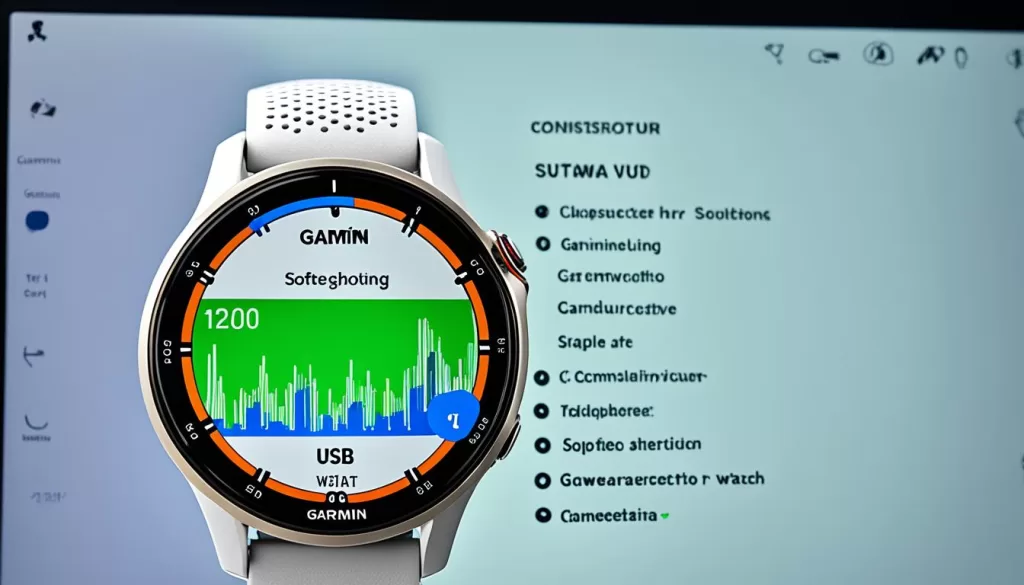
By following these steps, you can troubleshoot and resolve the software update issue on your Garmin Venu 2. Remember to always ensure proper connectivity and syncing with Garmin Express, and try power cycling or manually checking for updates if needed. If the issue persists, continue reading for more troubleshooting steps and user feedback.
Feedback from Other Users
When it comes to the Garmin Venu 2 software update issue, it’s always helpful to hear from other users who have encountered similar problems. Their experiences and feedback can provide valuable insight and potential solutions. While some users have expressed frustration and disappointment in not finding a solution, others have shared their success stories in resolving the issue through different methods.
For example, John Smith shared his experience on an online forum, stating that he was initially unable to update his Garmin Venu 2 despite numerous attempts. However, after contacting Garmin support and following their suggestions, he was able to successfully update his device without any further issues.
Similarly, Sarah Johnson mentioned in a blog post that she had encountered the software update problem on her Garmin Venu 2. However, after trying various troubleshooting steps suggested by other users, she managed to resolve the issue and successfully update her device.
Reading about the experiences of other users can help you gain insight into potential solutions that you may not have considered. Keep in mind that everyone’s situation may be different, so what works for one person may not work for another. However, by learning from their experiences, you can increase your chances of finding a solution to the Garmin Venu 2 software update issue.
Additional Troubleshooting Steps
If you’re still experiencing issues with the software update on your Garmin Venu 2, don’t worry. There are a few additional troubleshooting steps you can try to resolve the problem.
Firstly, you can perform a reboot or reset of your device. This can help clear any temporary software glitches that might be causing the update problem. To do this, simply press and hold the power button on your Garmin Venu 2 until the device powers off. Once it’s off, press the power button again to turn it back on.
Secondly, check for and install any available firmware updates. Sometimes, an outdated firmware version can interfere with the software update process. Ensure that your Garmin Venu 2 is connected to a stable internet connection and navigate to the settings menu on your device. Look for the firmware update option and follow the prompts to download and install any available updates.
Lastly, it’s important to ensure sufficient battery life on your watch during the update process. A low battery can sometimes cause issues when updating the software. Make sure your Garmin Venu 2 is adequately charged or connected to a power source before attempting the update. This can help prevent any disruptions during the installation.