
How to Fix Fitbit Versa 3 Won’t Turn On Issue
If you’re the proud owner of a Fitbit Versa 3, you know how essential it is to have this smartwatch working flawlessly. But what if you wake up one morning, ready to tackle the day with your Fitbit, only to find out that it won’t turn on? Frustrating, right? Don’t worry, though, because we’ve got you covered with some troubleshooting steps to help you get your Fitbit Versa 3 back in action.
Whether it’s a screen that won’t light up or a completely unresponsive device, we’ll guide you through the process of resolving this issue step by step. Soon, you’ll be back to tracking your steps, monitoring your heart rate, and enjoying all the features your Fitbit Versa 3 has to offer.
Key Takeaways:
- Experiencing a Fitbit Versa 3 not turning on issue can be frustrating, but there are troubleshooting steps to fix it.
- Check the battery and charging cable to ensure they are not the cause of the problem.
- If the battery and charging are fine, perform a hard reset to reset any software glitches that may be affecting the device.
- Contact Fitbit support if none of the previous steps solve the issue.
- Take preventive measures to avoid encountering the “won’t turn on” issue in the future.
Check the Battery and Charging
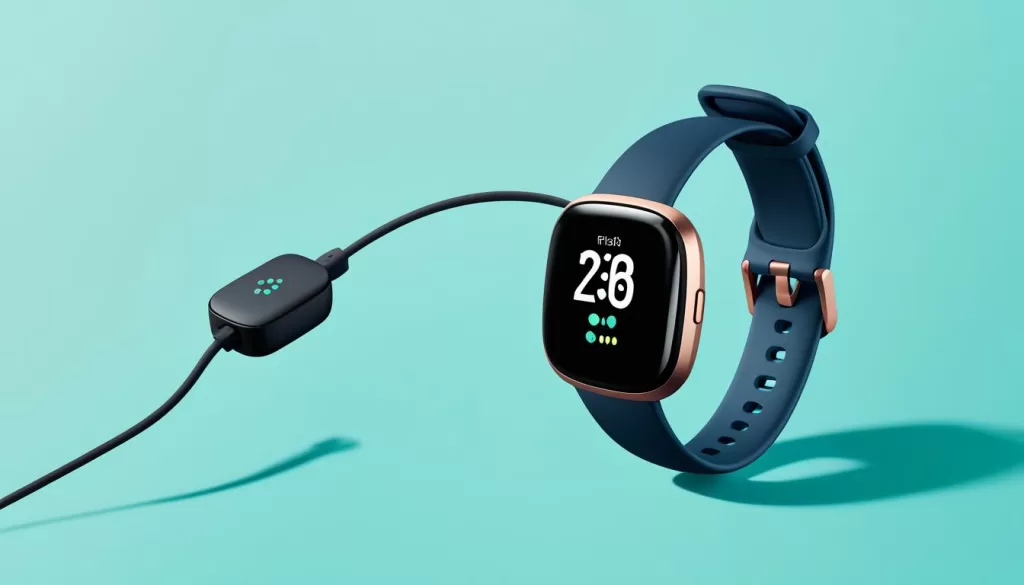
Is your Fitbit Versa 3 not charging or won’t power on? The first step is to check the battery and charging. Start by connecting your device to a charger and waiting for a few minutes. If the battery is low, it may not have enough power to turn on. Give it some time to charge before attempting to power it on again.
While charging, ensure that the charging cable is properly connected to both the device and the power source. Sometimes, a loose connection can prevent the device from charging properly or turning on. Double-check that everything is securely plugged in.
If the battery and charging cable are not the issue, there may be other factors causing the problem. Let’s explore further troubleshooting steps to get your Fitbit Versa 3 back in working condition.
Perform a Hard Reset
If the battery and charging are not the issue, performing a hard reset can often resolve software glitches that may be causing the problem. To do this, press and hold the button on the left side of your Fitbit Versa 3 for about 15 seconds or until you see the Fitbit logo on the screen. This will force the device to restart, and hopefully, it will turn on afterwards.
Performing a hard reset is a simple yet effective solution to try when your Fitbit Versa 3 won’t turn on. This process can help clear any temporary software issues that may be hindering the device from powering on. Remember to hold the button for the specified duration to ensure the reset is initiated successfully.
If you are uncertain about which button to press, refer to your Fitbit Versa 3 user manual or contact Fitbit support for further guidance.
Before attempting a hard reset, it’s always a good idea to ensure that you have backed up any important data or settings on your device. While a hard reset typically doesn’t erase data, it’s better to be safe than sorry.

Performing a hard reset can often be the solution you need to get your Fitbit Versa 3 up and running again. However, if the device still won’t turn on after a hard reset, proceed to the next section for further troubleshooting steps.
Contact Fitbit Support
If none of the previous steps have solved the issue and your Fitbit Versa 3 still won’t turn on, it’s time to reach out to Fitbit support. They have dedicated customer service representatives who can assist you in troubleshooting further or determine if your device needs servicing or replacement.
To contact Fitbit support, you can visit their official website or reach out to them through phone or live chat. Their knowledgeable and friendly team will guide you through the process and provide the necessary assistance to get your Fitbit Versa 3 up and running again.
Fitbit Customer Support Channels
Fitbit offers multiple channels through which you can contact their support team:
- Visit the official Fitbit website and navigate to the support section for troubleshooting guides, FAQs, and other helpful resources.
- Call the Fitbit support phone number to speak directly with a representative who can provide personalized assistance.
- Engage in a live chat with a Fitbit support agent to get real-time support and solutions for your Fitbit Versa 3.
Remember, contacting Fitbit support is the best course of action when you’ve exhausted all other troubleshooting options and your Fitbit Versa 3 continues to experience issues such as a non-responsive screen or a device that won’t turn on. The professionals at Fitbit are dedicated to helping you find a resolution and ensuring you can enjoy the full functionality of your Fitbit Versa 3.
Preventive Measures
To avoid encountering the frustrating issues of your Fitbit Versa 3 not syncing or the screen turning black, there are some preventive measures you can take. By following these steps, you can help ensure the optimal performance and longevity of your device.
First and foremost, it’s essential to keep your Fitbit Versa 3 updated with the latest firmware version. Frequently, updates include bug fixes and performance improvements that can address potential syncing issues or screen blackouts.
In addition to software updates, it’s crucial to protect your device from conditions that can cause damage. Avoid exposing your Fitbit Versa 3 to extreme temperatures or contact with water. These factors can negatively impact the internal components and lead to malfunctioning, including syncing problems or a black screen.
Regular maintenance is also key to maintaining optimal performance. Periodically clean the charging contacts on both your device and the charging cable. This helps ensure proper connections and reliable charging functionality, minimizing the risk of syncing difficulties or a black screen.