
How to Fix Fitbit Sense Software Won’t Update Issue
Is your Fitbit Sense not updating its software? Don’t worry, you’re not alone. Many Fitbit Sense users face this frustrating issue, but fortunately, there are steps you can take to fix it and get your device back on track.
In this article, we will guide you through troubleshooting steps to resolve the Fitbit Sense software update problem. Whether your device is not updating, experiencing an error, or facing a software update failure, we have the solutions you need.
Stay tuned to discover the best strategies to overcome the Fitbit Sense software update issue, ensuring you have the latest features and the best user experience.
Key Takeaways:
- Many Fitbit Sense users face problems with software updates
- There are troubleshooting steps to help resolve the issue
- Ensure a stable Bluetooth connection between your phone and Fitbit Sense
- Restarting your Fitbit Sense can fix small software glitches
- Keep your Fitbit app and firmware up to date
Check Your Bluetooth Connection
The first thing you should do when your Fitbit Sense software won’t update is to check the Bluetooth connection between your phone and your device. Make sure Bluetooth is turned on and that your Fitbit Sense is within range of your phone. A stable Bluetooth connection is necessary for a successful software update.
Restart Your Fitbit Sense
If your Fitbit Sense software won’t update, try restarting your device. A restart can often fix small software glitches that may be preventing the update from completing. To restart your Fitbit Sense, follow the instructions provided by Fitbit for your specific model.
Restarting your Fitbit Sense is a simple yet effective troubleshooting step that can resolve many software-related issues. By rebooting your device, you give it a fresh start and clear any temporary bugs or errors that might be causing the software update problem.
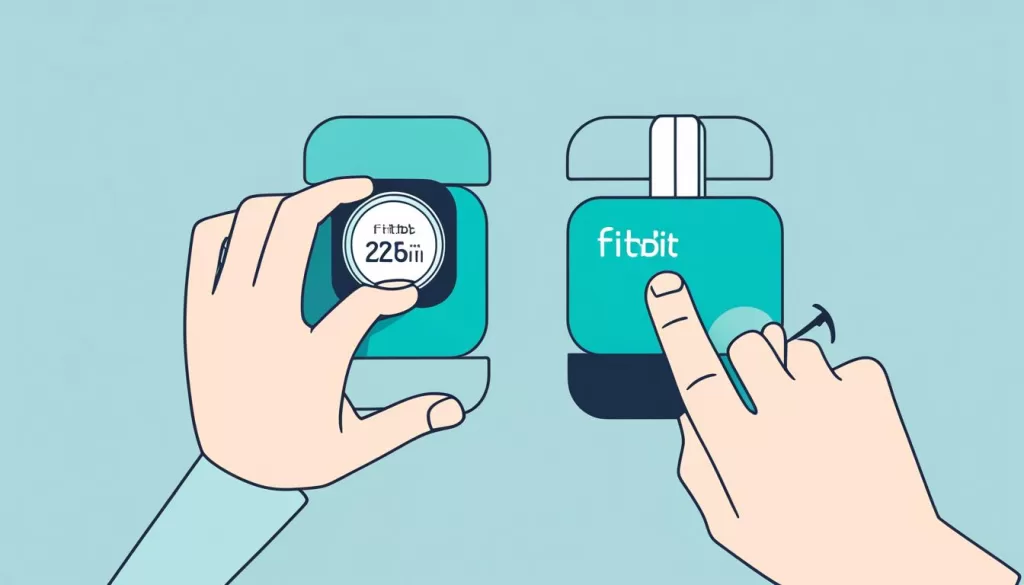
Here’s how you can restart your Fitbit Sense:
- Press and hold the button on the left side of your Fitbit Sense’s case. It is the only physical button on the device.
- Continue holding the button for about 8-10 seconds until the Fitbit logo appears on the screen.
- Release the button, and your Fitbit Sense will restart.
Once your device has restarted, check if the software update issue has been resolved. If not, you can proceed to the other troubleshooting steps mentioned in this article.
Remember, restarting your Fitbit Sense is a simple and risk-free process that can often fix common software problems. Give it a try before moving on to more advanced troubleshooting methods.
Update the Fitbit App and Firmware
Ensuring that your Fitbit app and firmware are up to date is an essential step in troubleshooting any software update issues on your Fitbit Sense. By keeping both your app and firmware current, you can take advantage of bug fixes and improvements that can resolve update problems and enhance your overall experience.
To begin, verify that you have the latest version of the Fitbit app installed on your phone. Open the app store on your device and search for “Fitbit.” If an update is available, tap the update button to download and install it.
Once your Fitbit app is updated, proceed to check your Fitbit Sense’s firmware. This is the software that runs on your device and controls its features and functionality. To update the firmware:
- Open the Fitbit app on your phone.
- Tap on your profile icon in the top-left corner of the screen.
- Select your Fitbit Sense from the list of devices.
- Scroll down and tap on “Update Firmware.”
- If an update is available, follow the on-screen prompts to download and install it.
It’s important to note that firmware updates may take some time and require a stable Bluetooth connection between your phone and Fitbit Sense. Ensure that your device is within range and that Bluetooth is enabled on your phone. Following these steps should help you update the Fitbit app and firmware successfully.
Reinstall the Fitbit App
If your Fitbit Sense software won’t update, try reinstalling the Fitbit app on your phone. This can fix any app-related issues that may be causing the update problem.
To reinstall the Fitbit app, follow these steps:
Step 1: Uninstall the Fitbit app from your phone. On most devices, you can long-press the app icon and select the option to uninstall. Alternatively, you can go to the app settings on your phone and uninstall it from there.
Step 2: Once the app is uninstalled, go to the app store on your phone (such as the Google Play Store for Android or the App Store for iOS) and search for “Fitbit.”
Step 3: Find the official Fitbit app in the search results and tap on it.
Step 4: Tap the “Install” or “Get” button to download and install the latest version of the Fitbit app.
Step 5: After the installation is complete, open the Fitbit app and follow the on-screen instructions to set up your device again.
Reinstalling the Fitbit app can help resolve issues with syncing, updating, and general app functionality. It ensures that you have the most up-to-date and stable version of the Fitbit app on your phone.
If you continue to experience difficulties with the Fitbit app, refer to Fitbit’s official support documentation or contact their customer support for further assistance.
Factory Reset Your Fitbit Sense
If all else fails, you can try performing a factory reset on your Fitbit Sense. This troubleshooting step can help resolve software update issues and get your device back on track.
Before proceeding with a factory reset, it’s important to note that this action will erase all data on your Fitbit Sense. To avoid losing any important information, be sure to back up your data before proceeding.
To perform a factory reset on your Fitbit Sense, follow the instructions provided by Fitbit for your specific model. These instructions will guide you through the process and ensure a smooth reset.
By performing a factory reset, you can start fresh with your Fitbit Sense and potentially fix any software-related issues that may be preventing the update from completing.
Remember:
Performing a factory reset on your Fitbit Sense will erase all data on your device, so be sure to back up any important information before proceeding.
Contact Fitbit Support
If you’ve tried all the troubleshooting steps and your Fitbit Sense software still won’t update, it may be time to reach out to Fitbit support. They have a dedicated team of experts who can provide additional assistance and guidance to help resolve the issue you’re facing.
For any concerns or questions regarding your Fitbit Sense, their customer service representatives are available to provide support. They can help troubleshoot the update problem and explore further solutions to get your device back on track.
If you’re unsure about your Fitbit Sense warranty status or you believe your issue may be covered under warranty, contacting Fitbit Support is the best course of action. They can provide information and guide you through the warranty process, ensuring that you receive the necessary assistance or replacements, if applicable.
Remember to provide them with all the relevant details about your Fitbit Sense and the troubleshooting steps you’ve already taken. This will help them better understand the issue and offer tailored solutions to resolve it.
Stay proactive and get in touch with Fitbit Support today if you need further assistance with your Fitbit Sense software update issue.

Fitbit Support Contact Information:
Phone: 1-877-623-4997
Email: [email protected]
Website: https://www.fitbit.com/global/us/home
Stay Updated and Motivated with Fitbit Sense
Keeping your Fitbit Sense software and app up to date is essential for maintaining optimal performance and accessing the latest features. Regular updates ensure that you have the best user experience and can take full advantage of the new functionalities that Fitbit offers.
With Fitbit Sense, you can not only track your health and fitness goals but also stay motivated on your wellness journey. The device provides comprehensive health tracking capabilities, allowing you to monitor your heart rate, sleep patterns, stress levels, and much more.
By staying updated with the latest software releases, you’ll benefit from improved accuracy, enhanced data insights, and a more seamless user interface. Whether it’s bug fixes or new features, Fitbit Sense updates ensure that you have the most efficient and reliable device for your daily needs.
So, make it a habit to regularly check for software updates on your Fitbit Sense and keep your device current. This way, you can optimize your health tracking experience and stay motivated on your path to a healthier lifestyle.