
How to Fix Fitbit Charge 5 Steps Count Not Accurate Issue
Are you frustrated with your Fitbit Charge 5 not accurately counting your steps? Do you find yourself questioning the reliability of your fitness tracker? It’s time to put those doubts to rest and regain confidence in your step tracking accuracy. In this article, we will guide you through simple troubleshooting steps to resolve the issue and ensure that your Fitbit Charge 5 accurately measures your every move.
Key Takeaways:
- Wearing your Fitbit device correctly can improve the accuracy of your steps count.
- Restarting your Fitbit can help resolve temporary glitches and improve step tracking accuracy.
- Recalibrating your Fitbit’s stride length can be an effective method to ensure accurate step counting.
- Check Fitbit placement and GPS settings to ensure accurate step tracking.
- Updating your Fitbit’s firmware and app can improve step count accuracy.
Wearing Your Fitbit Device Correctly
One possible reason for inaccurate step tracking is wearing your Fitbit device incorrectly. To ensure accurate step count, it is important to wear your Fitbit device correctly.
First, make sure to position your Fitbit device on your non-dominant hand. This allows for more accurate measurement of your steps as you go about your day.
Secondly, ensure that your Fitbit device is in direct contact with your skin. This helps to ensure that the sensors are able to accurately detect your movements and count your steps.
Lastly, make sure that the Fitbit device is not too tight on your wrist. A comfortable fit is necessary to maintain accurate step tracking throughout the day.
By following these guidelines and wearing your Fitbit device correctly, you can improve the accuracy of your steps count and ensure more reliable tracking of your daily activity.
Restarting Your Fitbit
Is your Fitbit Charge 5 not accurately counting your steps? Don’t worry, there’s a simple solution that can help resolve this issue. Restarting your Fitbit can often fix minor glitches and improve the accuracy of your step tracking.
To restart your Fitbit, follow these steps:
- Locate the “Settings” option on your Fitbit device.
- Scroll through the settings menu and find the “About” option.
- Select “About” and look for the “Shutdown” or “Turn off” option.
- Tap on the “Shutdown” or “Turn off” option and wait for your Fitbit to turn off completely.
- Once your Fitbit is turned off, press and hold the side button or hold the back of the device for a few seconds until the Fitbit logo appears on the screen.
- Release the button and wait for your Fitbit to restart.
After your Fitbit has restarted, check if the steps count accuracy has improved. Sometimes, a simple restart is all it takes to get your Fitbit back on track.
If the issue persists, proceed to the next section for further troubleshooting steps.
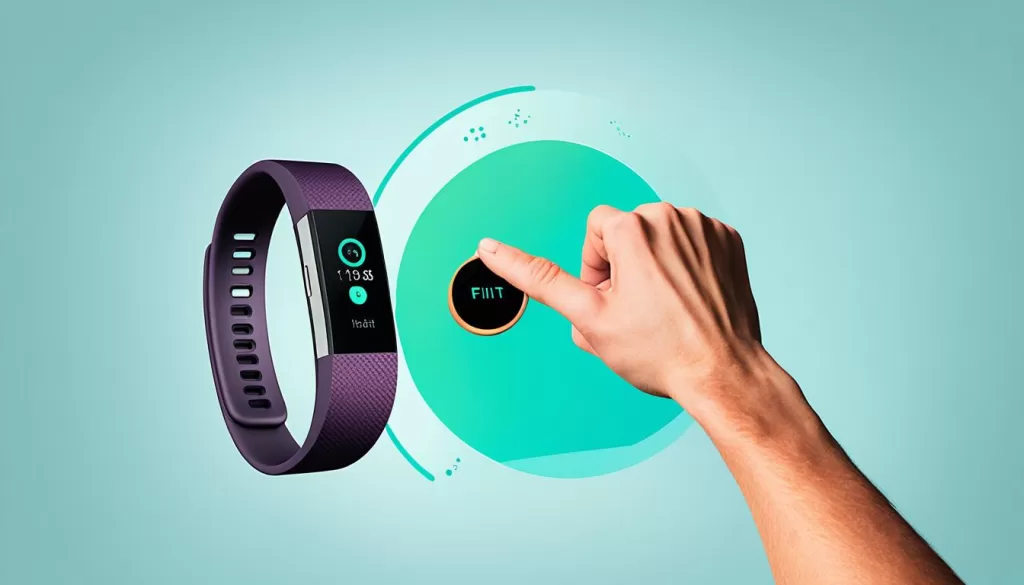
Recalibrating Your Fitbit’s Stride Length
If you want to ensure the accuracy of your Fitbit’s step count, recalibrating the stride length is a more advanced but effective method. By following a few simple steps, you can improve the accuracy of your step tracking and get more reliable data from your Fitbit device. Here’s how you can recalibrate your Fitbit’s stride length:
Step 1: Choose a Known Distance
Find a location where you can easily measure a known distance, such as a track or a measured path. It’s important to accurately determine the distance you will be walking or running.
Step 2: Count Your Steps
Start walking or running at your normal pace and count your steps as you cover the known distance. Make sure to maintain a consistent and natural stride throughout the process.
Step 3: Update Stride Length in the Fitbit App
Open the Fitbit app on your smartphone or tablet and navigate to the settings menu. Look for the option to update or edit your personal information. Find the field where you can input your stride length and manually enter the new value based on the steps you counted. Save the changes to apply the recalibrated stride length to your Fitbit device.
Recalibrating your Fitbit’s stride length can help improve the accuracy of step tracking, ensuring that your Fitbit correctly counts your steps. Remember to periodically recalibrate your stride length, especially if you notice any discrepancies in your step count accuracy.
Checking Fitbit Placement and GPS Settings
The accuracy of your steps count on your Fitbit device can be influenced by two key factors – the placement of your Fitbit device and the GPS settings. Ensuring that these elements are optimized will help improve the accuracy of your step tracking.
Finding the Perfect Fitbit Placement
Wearing your Fitbit device correctly is crucial for accurate step tracking. Make sure your Fitbit is positioned correctly on your wrist, ideally above the wrist bone. It should be snug but not too tight, allowing it to track your movements with precision. Adjust the Fitbit band if necessary to achieve the optimal placement.
Optimizing GPS Settings
If your Fitbit device uses GPS to track your movements, it’s essential to ensure that the GPS settings are properly configured. Open the Fitbit app on your smartphone, navigate to the settings, and make sure that the GPS function is enabled and set to high accuracy. This will improve the precision of your step tracking, especially during outdoor activities and workouts.
By paying attention to Fitbit placement and optimizing GPS settings, you can enhance the accuracy of your steps count and have more confidence in the data provided by your Fitbit device.
Updating Firmware and App
To ensure accurate step tracking on your Fitbit Charge 5, it’s important to keep the firmware and app up to date. Outdated firmware and app versions can sometimes cause issues with step count accuracy.
To update the firmware of your Fitbit device, follow these steps:
- Open the Fitbit app on your smartphone.
- Tap on your profile icon at the top left corner of the screen.
- Scroll down and select the “Charge 5” option under “Devices”.
- Tap on “Software Update”.
- If an update is available, click on “Install Now” to start the update process.
- Keep your device connected to a stable internet connection and wait for the update to complete.
Updating the Fitbit app is just as important. Ensure that you have the latest version of the Fitbit app installed on your smartphone by following these steps:
- Open the App Store (iOS) or Google Play Store (Android) on your smartphone.
- Search for “Fitbit” in the search bar.
- If an update is available, you will see an “Update” button next to the Fitbit app. Tap on it to initiate the update.
- Wait for the update to download and install on your device.
By regularly updating both the firmware and app, you can ensure that your Fitbit Charge 5 is running the latest software, which can greatly improve the accuracy of your steps count.
Troubleshooting Fitbit Syncing Issues
If your Fitbit device is not syncing properly, it can result in inaccurate step tracking, impacting the overall accuracy of your fitness data. To ensure your Fitbit’s steps count accuracy, you need to address any syncing issues you may be experiencing.
First, ensure that your device is properly connected to the Fitbit app. Check that your Bluetooth is turned on and that your Fitbit and smartphone are within close proximity. A stable data connection is essential for smooth syncing.
If you’re still experiencing syncing issues, try resetting your Fitbit. This can often resolve temporary glitches that may be interfering with the sync process. Refer to your Fitbit’s user manual for instructions on how to perform a reset.
If the issues persist even after resetting, it’s recommended to contact Fitbit customer support for further assistance. They have the expertise to troubleshoot and provide guidance on resolving any persistent syncing issues that may be affecting your steps count accuracy.
Taking these steps to address Fitbit syncing issues will help ensure that your step tracking data is accurate and reliable, allowing you to monitor your fitness progress with confidence.

Contacting Fitbit Customer Support
If you have exhausted all troubleshooting steps and are still facing accuracy issues with your Fitbit Charge 5’s step count, it is recommended to get in touch with Fitbit’s dedicated customer support. They are equipped to provide you with the necessary guidance and assistance to help resolve the problem.
Fitbit customer support understands the importance of accurate step tracking and will work with you to identify and troubleshoot any underlying issues that may be affecting your device’s performance. Whether it’s a software glitch, hardware problem, or syncing issue, their team of experts are well-trained to address a wide range of concerns.
To contact Fitbit’s customer support, you can visit their official website and explore the support section, where you will find various options to get assistance. These might include live chat support, community forums, or a dedicated helpline number. Make sure to have your Fitbit Charge 5 details handy, such as the model number and any relevant purchase information, so that the support team can assist you more effectively.