
How to Fix Fitbit Charge 5 Not Charging Issue
Are you frustrated with your Fitbit Charge 5 not charging? Is your device refusing to respond, leaving you wondering what went wrong? Don’t worry, you’re not alone. Many Fitbit users have encountered this issue, but the good news is that there are solutions available to help you resolve it.
In this article, we will explore common troubleshooting steps to fix the Fitbit Charge 5 not charging problem. From cleaning the charging contacts to trying a different charging cable or USB port, we will guide you through the process of troubleshooting this frustrating issue. So, let’s dive in and get your Fitbit Charge 5 back up and running!
Key Takeaways:
- Cleaning the charging contacts can help resolve the Fitbit Charge 5 not charging issue.
- Trying a different charging cable or USB port may solve the problem.
- A simple restart of the device can fix software glitches affecting the charging process.
- Ensuring the device is dry before charging can prevent moisture-related issues.
- If all else fails, contacting Fitbit customer support can provide further assistance.
Cleaning the Charging Contacts
One common cause of the Fitbit Charge 5 not charging is dirty charging contacts. Over time, dust and debris can accumulate and interfere with the charging process. To fix this issue, you can clean the charging contacts on the back of your device and the pins on the charging cable. Follow the instructions provided by Fitbit on how to clean your device properly using a soft cloth or cotton swab moistened with rubbing alcohol.
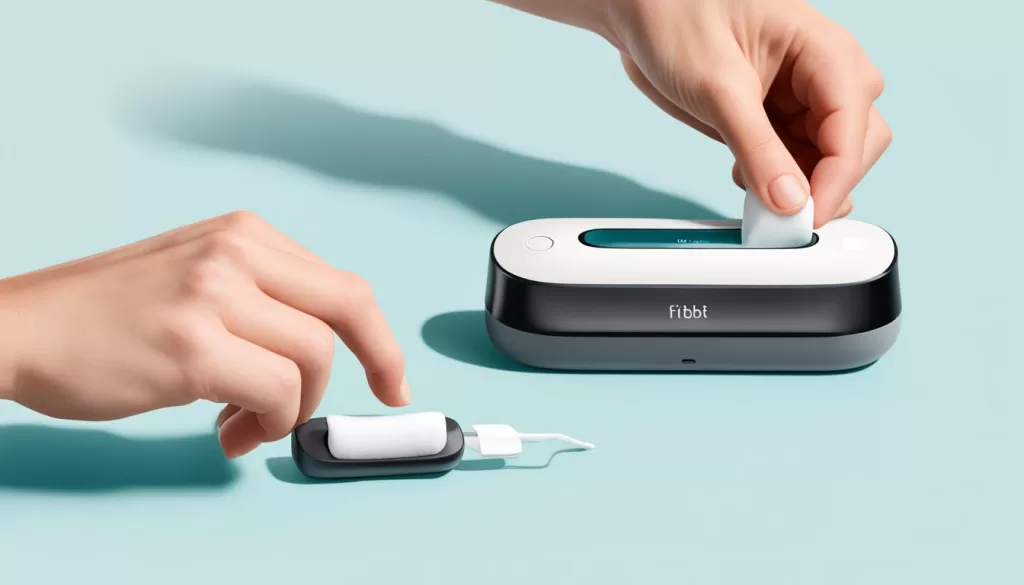
Regularly cleaning the charging contacts ensures a reliable connection and helps prevent charging issues. By keeping the charging contacts free from dirt and grime, you can optimize the charging performance of your Fitbit Charge 5.
Trying a Different Charging Cable or USB Port
If you’re experiencing the frustrating issue of your Fitbit Charge 5 not charging, one possible solution is to try using a different charging cable or USB port. Sometimes, the problem may be caused by a faulty cable or a malfunctioning USB port.
Start by disconnecting your current charging cable from both the device and the power source. Then, find another charging cable that is compatible with your Fitbit Charge 5. Ensure that the new cable is in good condition and free from any visible damage.
Once you have the new cable, connect it securely to your device and plug it into a different USB port. It could be a wall charger or a different USB port on your computer. This step can help determine if the issue lies with the original cable or USB port.
If your Fitbit Charge 5 begins charging after trying a different cable or USB port, it indicates that the previous cable or USB port was the problem. In this case, consider replacing the faulty cable or avoiding the problematic USB port in the future.
If, however, your device still doesn’t charge even with a different cable and USB port, it’s recommended to proceed to other troubleshooting steps to identify and resolve the underlying issue.
Using a UL-Certified Wall Charger
Another alternative to consider is using a UL-certified wall charger instead of a USB port on your computer. Sometimes, USB ports on certain devices do not provide sufficient power output for charging a Fitbit device.
By using a certified wall charger, you can ensure a steady power supply that meets the necessary requirements for charging your Fitbit Charge 5. This can help eliminate any compatibility issues and increase the chances of resolving the charging problem.
Remember to always use a charger that is specifically designed for your Fitbit device to avoid any potential damage to the device or compromised charging performance.
Continue reading to explore other troubleshooting steps and solutions to fix your Fitbit Charge 5 charging issues.
Restarting the Device
If your Fitbit Charge 5 is not charging and the battery is not draining due to a background app, restarting the device might help. Restarting the device can help resolve software glitches that may be affecting the charging process.
To restart your Fitbit Charge 5, follow the instructions provided by Fitbit. Typically, you can perform a restart by pressing and holding the side button until the Fitbit logo appears on the screen. Release the button, and your device will restart.
If restarting the device doesn’t resolve the charging issue, try other troubleshooting methods mentioned in this article to get your Fitbit Charge 5 back on track.

Trial
Content of H3 tag.
Ensuring the Device is Dry
Moisture can interfere with the charging process and cause the Fitbit Charge 5 not to charge. If your device has come into contact with water or sweat, make sure it is thoroughly dry before attempting to charge it. Wipe it gently with a soft cloth to remove any moisture and ensure that the charging ports are completely dry. This will help prevent any potential damage and ensure proper charging.
When using your Fitbit Charge 5, it’s essential to keep it safe from water and moisture as much as possible. While the device is water-resistant, prolonged exposure to water can still affect its performance, including the charging capability. Moisture can accumulate in the charging ports or disrupt the electrical connections, preventing the device from charging properly.
If your Fitbit Charge 5 has gotten wet, whether from rain, sweat, or accidental submersion, it’s crucial to take the necessary steps to ensure it is dry before attempting to charge it. Using a soft cloth, gently wipe the entire device, paying close attention to the charging ports.
Take extra care to remove any moisture from the crevices and corners where water can collect. By thoroughly drying your device before connecting it to the charger, you can prevent any potential damage and ensure that the charging process functions smoothly.
In addition to wiping the device, you can also air-dry it by leaving it in a well-ventilated area for a period of time. This allows any residual moisture to evaporate before you attempt to charge the Fitbit Charge 5. However, avoid using heat sources or exposing the device to direct sunlight for drying, as excessive heat can damage the internal components.
Remember, ensuring the device is dry is an important step in troubleshooting charging issues with your Fitbit Charge 5. By taking the necessary precautions and keeping the device free from moisture, you can maintain its charging performance and enjoy uninterrupted use of your Fitbit.
Contacting Customer Support
If you have followed all the troubleshooting steps and your Fitbit Charge 5 is still not charging, it is recommended to reach out to Fitbit customer support for further assistance. The experts at Fitbit’s customer support are dedicated to helping you resolve any technical issues you may be experiencing with your device.
By contacting customer support, you can receive additional troubleshooting steps tailored to your specific situation. They can guide you through the process of repairing or replacing your Fitbit Charge 5 if necessary. Fitbit’s customer support team is well-equipped to provide you with the expert assistance you need to get your device up and running again.
To get in touch with customer support, visit the Fitbit website or refer to the contact information provided in your device’s user manual. By reaching out to Fitbit, you can rely on their extensive knowledge and experience in resolving charging and other technical issues with their devices.