
How to Fix Apple Watch Series 6 Won’t Turn On Issue
Have you ever encountered the frustrating situation where your Apple Watch Series 6 refuses to turn on? It’s a common problem that Apple Watch users face, and it can be quite baffling. You’re left wondering why your high-tech device suddenly decided to go silent, leaving you without access to its myriad of features.
But fear not, because in this article, we will explore the troubleshooting steps you can take to fix the “Apple Watch Series 6 Won’t Turn On” issue. From checking the charger and cable to restarting the device, we’ve got you covered with all the necessary tips and tricks to bring your Apple Watch back to life.
Key Takeaways:
- There are several troubleshooting steps you can take to fix the “Apple Watch Series 6 Won’t Turn On” issue.
- Start by checking the charger and cable you are using.
- Restart your Apple Watch or force restart it if necessary.
- Verify the battery level and give it some time to charge if it’s completely drained.
- If all else fails, contact Apple Support or visit an authorized service provider for further assistance.
Checking the Charger and Cable
To start troubleshooting the Apple Watch Series 6 Won’t Turn On issue, check the charger and cable you are using. It is essential to use the official Apple Watch charger or the USB-C Magnetic Fast Charging Cable that came with your Apple Watch. These chargers are specifically designed to provide optimal power and compatibility for your Apple Watch.
If you are using a third-party charging stand, ensure that you are using the charging cable that was included in the box with your Apple Watch. Using the wrong cable may result in insufficient power delivery and prevent your Apple Watch from turning on.
Before connecting the charger, remove any plastic wrap from both sides of the charger, and ensure that the back of your Apple Watch and the magnetic charger are clean. Any debris or dirt buildup can interfere with the charging process and cause issues with turning on your Apple Watch. Use a soft, lint-free cloth to gently clean the charging contacts.
If you have followed these steps and your Apple Watch still won’t turn on, it may be worth trying a different Apple Watch Magnetic Charging Cable or USB-C Magnetic Fast Charging Cable, as well as a different USB Power Adapter. Sometimes, faulty or damaged cables or adapters can be the culprit behind charging issues. By testing different charging accessories, you can eliminate the possibility of a defective charger or cable.
Restarting and Force Restarting Your Apple Watch
If your Apple Watch still won’t turn on after checking the charger and cable, it’s time to try restarting it. This simple step may help resolve the issue and bring your Apple Watch back to life.
To restart your Apple Watch, press and hold both the side button and Digital Crown simultaneously for at least 10 seconds. Keep holding until you see the Apple logo appear on the screen.
This force restart will initiate a fresh start for your Apple Watch, similar to restarting a computer or smartphone. It can help clear any temporary glitches or software bugs that could be preventing your Apple Watch from turning on.
Once you release the buttons and see the Apple logo, wait patiently for your Apple Watch to start up again. It may take a moment for the device to boot up, so don’t be alarmed if it doesn’t turn on instantly.
After the restart, check whether your Apple Watch powers on properly. If it does, you can continue using your watch as usual.
If the restart doesn’t solve the issue and your Apple Watch remains unresponsive, proceed to the next troubleshooting step to further diagnose and address the problem.
Take Note:
In some cases, force restarting the Apple Watch may not resolve the powering on issue. If you have tried all the troubleshooting steps and your Apple Watch still won’t turn on, it may be necessary to contact Apple Support for further assistance and guidance.
Verifying the Battery Level
If your Apple Watch doesn’t show any signs of charging, connect it to the charger and wait for a few minutes. If the battery is completely drained, it may take some time for the charging icon to appear on the screen. If it doesn’t appear after 30 minutes, it may indicate a deeper issue with the battery. In that case, contacting Apple Support is recommended.
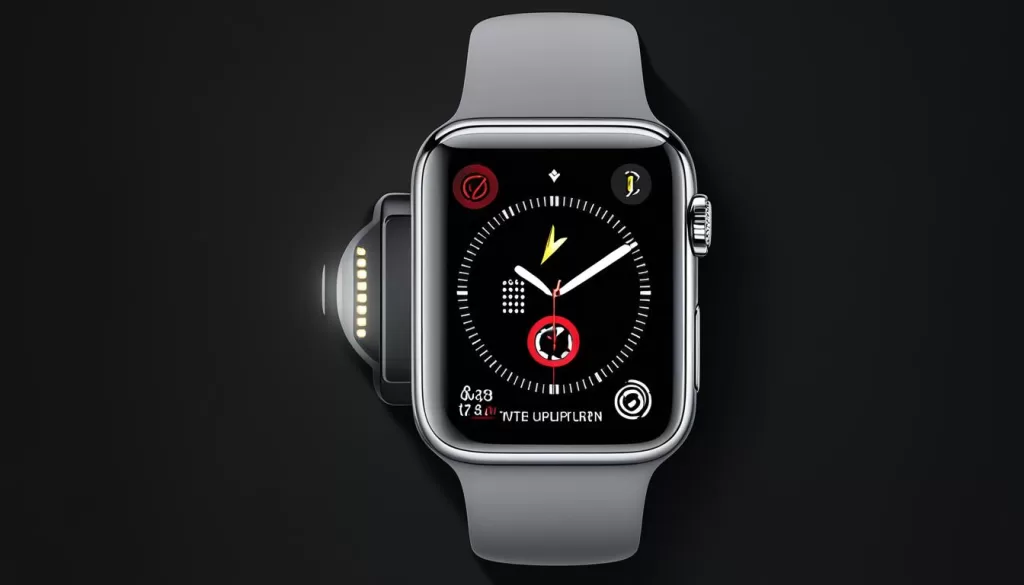
Verifying the battery level is an important step in troubleshooting your Apple Watch when it won’t turn on. When you connect your watch to the charger, it should display a charging icon on the screen. However, if your battery is completely dead, it may take a few minutes for the charging icon to appear. Be patient and give it some time to charge.
If the charging icon still doesn’t appear after waiting for 30 minutes or longer, it could indicate a more serious problem with the battery. In this case, it’s recommended to contact Apple Support for further assistance. They can help diagnose the issue and provide potential solutions or arrange for repairs if necessary.
Contacting Apple Support
If all previous troubleshooting steps fail to resolve the “Apple Watch Series 6 Won’t Turn On” issue, it is recommended to reach out to Apple Support or visit an authorized service provider. They have the expertise to provide further assistance and diagnose any potential hardware issues that may be preventing your Apple Watch from turning on.
Contacting Apple Support is a straightforward process. You can either call their dedicated support hotline or use the online support portal to chat with a representative. Be prepared to provide details about the troubleshooting steps you have already taken, as well as any error messages or symptoms you are experiencing.
Alternatively, you can visit an authorized service provider for in-person assistance. Authorized service providers are trained by Apple to diagnose and repair Apple products. They have access to genuine Apple parts and are equipped to handle various hardware issues.
In conclusion, if your Apple Watch Series 6 still won’t turn on after attempting the troubleshooting steps, it’s best to contact Apple Support or an authorized service provider. They can guide you through the process of resolving the issue and ensure that your Apple Watch is functioning properly.