
How to Fix Apple Watch Series 5 Won’t Turn On Issue
Imagine waking up in the morning, ready to start your day, only to find that your Apple Watch Series 5 won’t turn on. Frustrating, isn’t it? You begin to wonder what could possibly be causing this issue. Is it a simple fix or a sign of a more significant problem? Don’t worry, we’re here to help you troubleshoot.
Before you rush to conclusions or start pondering if your beloved smartwatch has reached the end of its life, let’s explore the common reasons behind this problem and discover ways to get your Apple Watch Series 5 up and running again.
Key Takeaways:
- Make sure your Apple Watch is properly charged by using the original charging cable and adapter.
- Check for any physical damage or debris on the charger and Apple Watch.
- Try a force restart by holding down the side button and Digital Crown.
- If all else fails, seek professional assistance from an authorized Apple service provider.
Troubleshooting Apple Watch Charging Issues
If your Apple Watch Series 5 won’t charge, there are a few things you can try.
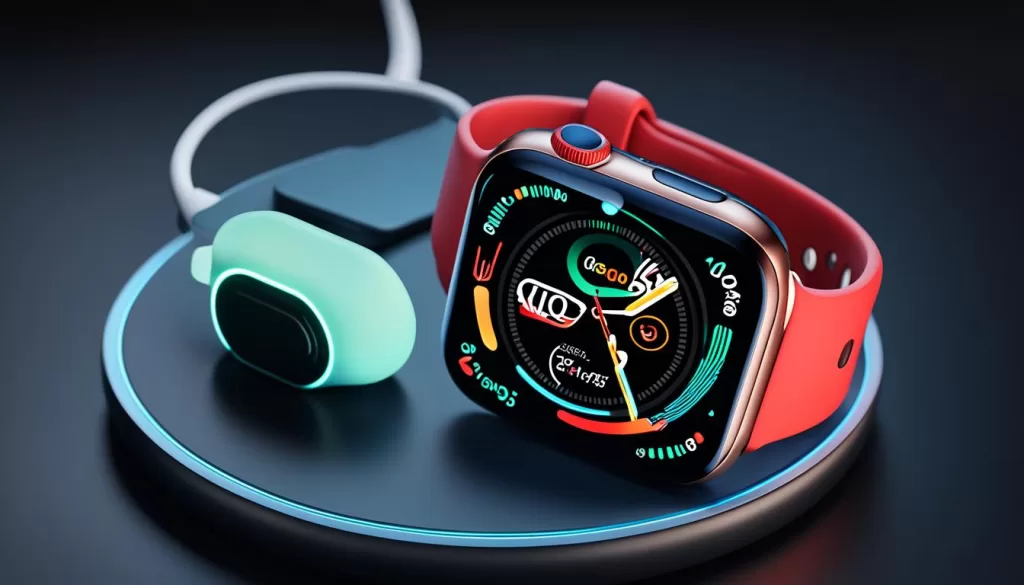
First, make sure that you’re using the original or a certified charging cable and that the back of your watch and the magnetic charger are clean. Inspect the charging cable for any visible damage. If necessary, try a different cable and power adapter.
If your watch is in Power Reserve mode, which conserves power by showing only the time, you’ll need to disable it by holding down the side button until the Apple logo appears.
If your Apple Watch still won’t charge, it may be due to a hardware issue and you should contact Apple Support for further assistance.
Fixing Apple Watch Screen and Software Issues
If your Apple Watch Series 5 is not responding or won’t boot up, there are a few troubleshooting steps you can take to resolve the issue.
To begin, try performing a force restart by holding down the side button and Digital Crown simultaneously until the Apple logo appears. This action can help unfreeze the watch and restore its functionality.
If your Apple Watch is stuck on the Apple logo even after a force restart, it’s worth attempting to charge it for at least 30 minutes before trying to power it on again. Sometimes, a low battery level can lead to booting problems.
In the event that the screen remains completely black and won’t turn on, it’s worth checking if the Screen Curtain accessibility feature is enabled on your device. You can disable this feature through the Apple Watch app on your iPhone. Once disabled, attempt to turn on your Apple Watch again.
If none of these troubleshooting steps work, it may indicate a hardware problem. In this case, it is recommended to seek assistance from an authorized Apple service provider. They will have the necessary expertise to diagnose and address any underlying issues with your Apple Watch Series 5.
Seeking Assistance from an Authorized Service Provider
When dealing with persistent issues such as an unresponsive Apple Watch Series 5, it’s important to avoid attempting DIY solutions or seeking help from unauthorized sources. Instead, reach out to an authorized Apple service provider for professional assistance.
Hardware issues can be intricate, and it takes a trained professional to accurately diagnose and resolve them. Apple service providers have the tools and knowledge required to repair your Apple Watch effectively.
Remember, seeking professional assistance is particularly vital if you have dropped your watch or it has been exposed to water, as these incidents can contribute to malfunctions that require expert attention.
By relying on authorized service providers, you can ensure that your Apple Watch Series 5 is repaired by experts who use genuine Apple parts and adhere to Apple’s repair standards. This approach helps guarantee the longevity and optimum performance of your device.
Dealing with Apple Watch Battery Issues
If your Apple Watch Series 5 won’t turn on after being dead, it may simply need time to charge. Connect it to a power source and wait for at least 30 minutes before attempting to turn it on. If the battery is completely drained, it may take some time for the watch to respond. Apple Watch Series 7 and 8 can charge from 0 to 80% in 45 minutes with a USB-C adapter and original cable. If the battery still won’t charge, try using a different charging cable and adapter. If all else fails, it’s recommended to visit an Apple Store or authorized service provider for further evaluation.
Seeking Professional Assistance for Apple Watch Issues
If you’ve exhausted all troubleshooting steps and your Apple Watch Series 5 still won’t turn on, it’s time to consider professional help. This persistent issue could be a sign of a hardware problem that requires expert diagnosis and repair.
If you recently dropped your Apple Watch or exposed it to water, it’s possible that these incidents have caused the malfunction. Rather than attempting do-it-yourself solutions or opting for cheaper alternatives, it’s crucial to take your device to an authorized service provider or an Apple Store.
By seeking assistance from professionals, you can ensure proper handling and avoid further damage. Additionally, remember that your Apple Watch may still be covered by warranty, which makes it even more essential to consult authorized service providers for reliable support.
When it comes to Apple Watch hardware issues, it’s best to trust the experts who have the knowledge and experience to resolve complex problems. Don’t risk compromising your device further—rely on authorized professionals for the care and repair of your Apple Watch.